Greyshadow
Members
-
Joined
-
Last visited
Everything posted by Greyshadow
-
Unfortunately Ultimate Backup cannot do this. This is because highways aren't broken down into their own Zone on the map, they are just part of the Zone they are in. On my map I just have State Police spawn only in LS County and Highway Patrol spawn only in BC. You SHOULD be able to add an entry to manually spawn whichever car you like, by adding it to the ''SpecialUnits" xml file in the Ultimate Backup folder. Then the custom unit will show up in yellow at the bottom of the menu. The XML file itself has instructions on how to do this. I know it's not a perfect solution, especially when you can have it spawn specific units just about every where else (you can have a Stab City specific unit, but not a Highway only unit!). But at least this way you can get what you want, just have to remember to call it separately.
-
Ugh, I came hoping there was a definitive fix for this. I run GTAV on a Ryzen 5 3600, GTX1660ti, 32GB of 3200 ram and an SSD... And it runs WORSE than my old I7 6700k with a GTX 780ti with half the ram and off an HD. I've fiddled with all of the settings, I am using the SAME cars and same textures, I used nvidia's "optimized" settings and after 15-20 min I start losing textures. I know I'm not pushing anywhere near the CPU or GPU limits. It's frustrating.
-
 If i missed that comment elsewhere I apologize, yes I found the texture and am trying various replacements (I cannot do a clear tint texture to save my life), thank you for info.
- 39 comments
- 9 reviews
-
I like this very much as a Fed car. I'm not good with vehicle windows, going all the way back to GTAIV modding I could never do it properly. If i use the trainer to tint the windows they are solid black and can't see the lights through them. Setting the value through vehicles.meta does nothing. A darker rear window to hide the rear lights would be prefect.
- 39 comments
- 9 reviews
-
 I use a generic "Slicktop" ELS xml file with this. It only works on Stage 3 with the flash pattern set by the author, but if you're only after being able to trigger it with ELS it works fine that way.
- 38 comments
- 1 review
-
-
 Any way to get the Vic's visor light down? It appears up by default, I tried toggling extras through Simple and Menyoo, and it was already set to FLAG_EXTRAS_ALL in vehicles.meta.
- 215 comments
- 38 reviews
-
 Much appreciated sir, thank you.
 -
 Loved the cars when I first got them, loving the update (using the add-on pack) especially the slicktops, very nice... Well cept for LSPD18 but you're aware of that. Thank you for a great well rounded pack. (On a personal note, ditch the 14 Charger in Favor of a Caprice 😉 )
- 276 comments
- 46 reviews
-
You know I already like this pack.... The Silverado is sexy! and I'll tell you what the skins look GREAT on the slicktops. These skins, those vehicles and a small change to the ELS pattern (I didn't care for the original) and you would believe these were 21st Century LAPD vehicles. Please PLEASE do the Vic and the 19 Tahoe. The 20 Explorer I can take or leave, I currently use a different model slicktop for unmarked, but no marked 20 in my fleet. I wouldn't say NO though 😉
-
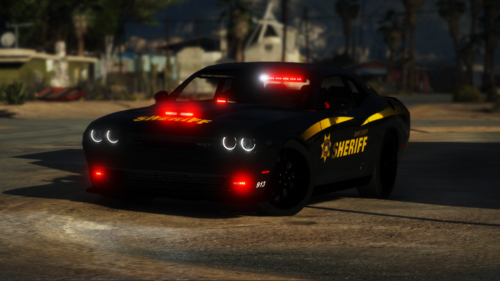 Really glad you gave this model a look in again to fix it up, it is a great car. I changed my handling and audio hash to Buffalo2 from Hellfire earlier and I think it's even better (it certainly SOUNDS better with the throaty roar instead of the whine)
- 40 comments
- 5 reviews
-
-

- 1
-
-
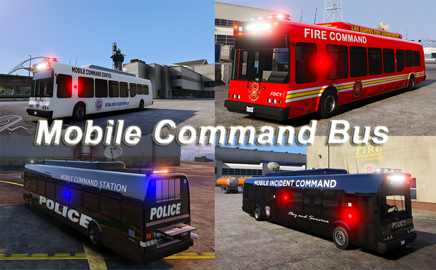 I know this is pretty old... I installed this ass an add-on, but does anyone know why it would FREAK OUT at Stage 3? Driving is fine, but sitting still for too long and the vehicle will suddenly jump in the air and flip itself over. EDIT: I should point out that it's not only this vehicle, it also happens to the Swat Brickade add-on EDIT2: Ok this wasn't limited to these vehicles, all of my vehicles were doing weird ish at ELS stage 3. However because these were big vehicles it was causing the most extreme issue. SOLUTION: The problem was being caused by an outdated Automatic Siren Cutout mod, updating to 1.7 corrects this issue. (Specifically it was the Enable Yielding feature, which now works properly)
- 51 comments
- 6 reviews
-
I just skinned up the updated model, I'll grab some screenies and post them this evening. You know what happened? I installed the unmarked one, and when I went to skin I only put the marked texture file in, I didn't copy the vehicle model over, got it sorted now. Thank you! I'm not sure why it didn't continue the stripe inside the scoop, I may have to go over the template again. All credit for the skin goes to Sgt Frank. I merely took his charger skin and adapted it to fit this template. But I think THIS car and that skin are great together. I may try it with the ghost skin at some point, I love ghosted chase cars.
- 40 comments
- 5 reviews
-
-
- 1
-
-
After updating it seems that I am unable to skin or even paint it, everything else seems to be good.
- 40 comments
- 5 reviews
-
I always like having templates. I don't create skins, but I like all of my cars to have the same skin no matter which vehicle I use. Example: Currently I am using Sgt Frank's green/white BCSO skins. But the Challenger HEAT skin with the pack doesn't fit this model. So after a bit of time in GIMP, now I have it. And this car looks SWEET with the racing stripe across the top of IT!
- 40 comments
- 5 reviews
-
-
This is an old model I know, but it's nice, especially after tweaking it to use the Hellfire line 😉 One thing bugs me: The rear side windows. Is there a quick fix for that? They look like they are attached to the model, but in some of your pics for the marked version they are not there.
- 40 comments
- 5 reviews
-
Thank You for the pack. Was getting tired of LAPD style boring as was skins that have TOO much going on. These are perfect (and dark!) Look forward to updates! If you do a K9 on the CVPI I would definitely use. (well I'd use on any vehicle, but any excuse to load up a Crown is a good one)
-
Very nice and modern looking skin without being over the top. I would LOVE the 19 Tahoe and 20 Explorer (though I see what you mean about the 20 template) as well as a few variant skins (K9, Traffic, Supervisor (other than the Explorer))
-
You can install it as an add-on through OpenIV and copying the meta info to a chosen dlc.rpf I'm not new to modding and I had some complications this way. The easier way is to install it with LML. However this is not a perfect solution either. 1) LML only installed the BB version on it's own. To add the RB version it was simply adding the path to the install.xml file in the LML folder. 2) The vehicles spawn with nothing. The vehicles.meta does have it configured to spawn with a random Extra. But unfortunately neither Simple nor Menyoo would allow me to toggle off and on the Extras (except the computer, that would toggle every time). To compensate for this I went into the vehicles.meta and FORCED the Extras I wanted by using the <extraIncludes> and <requiredExtras> tags to turn them on (one version plain undercover with nothing but the visor and tail lights, looks GREAT, and a HP chase car with everything but the Liberty.) Mileage may vary, you might find the extras work for you without modification, but I couldn't get them to go. 3) Despite my best efforts, I could NOT get the siren to work. I don't know if it's the way I installed it, or if ELS was blocking it or what. So I installed a simple hellcatrb(bb).xml in the ELS folder to allow ELS to control the siren and turn on the lights, but the flash pattern remains non-els). You can make one yourself, or you can find a generic on here on LSPDFR just search for "non-els for els" or something like that. Disclaimer: I respect the mod author. The modifications I made (while simple) are for personal use only on an SP (LSPDFR) game and will not be uploaded anywhere else or used online in anyway. This is a beautiful model by the way.
- 38 comments
- 1 review
-
-
 Looking forward to it.
 -
-
I will be honest, I was a little iffy about installing a pack with ingame vehicles. But I'll tell you what: It's amazing! Good looking skins, Great lighting setups too, particularly the SEP Taurus/ You're not kidding when you say the BP Alamo has LOD issues... I think I made it about 5 feet before it turned frame on me. once that and the Scout CTD issue is resolved this will be a perfect, lore friendly, vanilla vehicle friendly pack. I have decided to replace my Lenco NOOSE Bearcat with your TRU Insurgent it looks so good!
-
The thing is though, it loaded my weapons just fine, just wouldn't load the cars. When I created a new car and tried to save it it would hard crash as well and it wouldn't properly change the Xenon colors. I might give copying the ini to the ASI folder at some point and seeing if it all corrects itself, because I do like having it built into Rage and the ability to load and unload individual scripts on the fly. But for now I switched back to SHV for ease of use and convenience. Thanks for the tip I will definitely give it a go when I'm in a testing mood. 😊