Bclary6
Members
-
Joined
-
Last visited
Everything posted by Bclary6
-
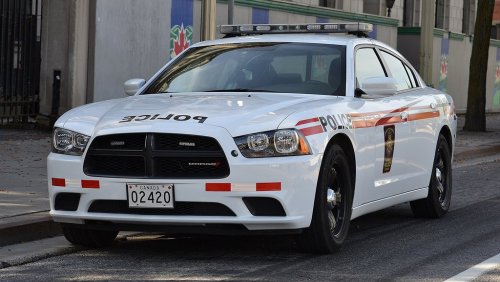 I like that this is a unique vehicle. It's not a big deal in my opinion that the everything isn't picture perfect. Great attempt and dare to be different. Simple yet effective.
- 3 comments
- 2 reviews
-
-

- 1
-
-
Here are a few ideas I have conjured up. · Ability to call for the police Helicopter to search an area for a suspect prior to me showing up and not be in pursuit status. · Ability to call K-9 to search an area, I don’t see the K-9 ability anymore in police radio. More K-9 involvement in general. · Callouts to assist k-9 in a track (Man Hunt) · As funny as it may sound, I would like to go code 4 because other officers have taken care of the situation already, or at least have to downgrade from code 3 to code 2. This will segway into my next idea of being a secondary officer for the entirety off the callout. Let them do the footwork for once. Long story short, I’m tired of making all the arrests. It adds realism to the experience IMO. · AI police behavior can always use perfecting · More medical calls, structure and vehicle fires that don’t burn out by the time I arrived. Rescue person from burning car; you know, stuff cops do HAHAH. Being an LEO myself, it’s not all just guns and chases. · Pool drowning callout (CPR until medical arrives). Assist lifeguard with CPR (Hint hint). · Ability to have callouts in the police chopper. (not sure if such exists)
-
 Here are a few ideas I have conjured up. · Ability to call for the police Helicopter to search an area for a suspect prior to me showing up and not be in pursuit status. · Ability to call K-9 to search an area, I don’t see the K-9 ability anymore in police radio. More K-9 involvement in general. · Callouts to assist k-9 in a track (Man Hunt) · As funny as it may sound, I would like to go code 4 because other officers have taken care of the situation already, or at least have to downgrade from code 3 to code 2. This will segway into my next idea of being a secondary officer for the entirety off the callout. Let them do the footwork for once. Long story short, I’m tired of making all the arrests. It adds realism to the experience IMO. · AI police behavior can always use perfecting · More medical calls, structure and vehicle fires that don’t burn out by the time I arrived. Rescue person from burning car; you know, stuff cops do HAHAH. Being an LEO myself, it’s not all just guns and chases. · Pool drowning callout (CPR until medical arrives). Assist lifeguard with CPR (Hint hint). · Ability to have callouts in the police chopper. (not sure if such exists)
- 1,178 comments
- 137 reviews
-
-
 This is excellent quality. Indeed it is nice to have a Caprice of this caliber. I'm sure there will be plenty of critics to complain about the abundance of lights. IMO its perfect. Extremely rare with excellent quality. I'm looking forward to more quality vehicles like this one. I would like to see a C6 Z06 Corvette unmarked like in GTA IV. I'm more than willing to purchase the models for you.
- 48 comments
- 14 reviews
-
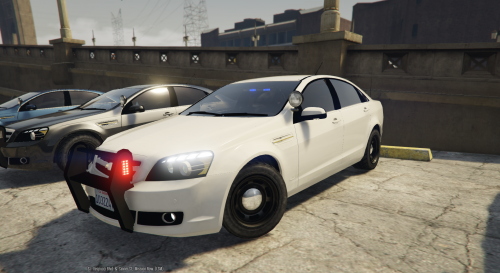 This Caprice is on my top 5 list of must have vehicles. Please update the lights to have more lights and amber lights in the back window; possibly a light bar on top as well.
- 34 comments
- 10 reviews
-
I would like to suggest a few things: - Please add the ability to call federal backup (especially working as a Federal Agent) - I have yet to see a Park Ranger/Game Warden respond as backup. They are state law enforcement. As well as have calls to back up the Wardens. - The ability to call fire to the scene just like EMS in the LSPDFR menu. The ability to call all backup should be through the standard LSPDFR menu.