



phoenixpolice
Members
-
Joined
-
Last visited
Everything posted by phoenixpolice
-
ughh.. darn. @Kilyin... i did have it plugged in during a lightning storm when the problem first started happeneing and the power went out but i ruled out it did any damage... how would i check to see if it is working?
-
how could i check to see if it is dead? it was pre- installed... i had made a custom computer from IBUYPOWER.com @Starmix
-
heatsink? i ndo have a liquid cooler... 1x Case -Thermaltake Versa H35 w/ Window Gaming Case 1x Processor Cooling -Asetek 550LC 120mm Liquid CPU Cooler - ARC Silent High Performance Fan Upgrade 1x LED Fan Lighting -3x [Blue] 120mm LED Case Fan
-
idle and idk it didnt tell me let me find another temp checker thing alrighty ill get a read at the loading screen and in-game cpu is 90C+ smh ok... so i cant get my gpu but my cpu in-game is over 90C and throttling... that max limit is set to 100 @JAMESNYPD
-
hmm i thought it was windows 8 but either way i dont know what the problem is then. must be a problem with either that version of ragehook in combination with other things... maybe a windows update could've done it... i say wait a few days for a new windows update or ragehook update then see
-
ok..., i have it set to F right now let me check ok gpu is at 41 C right now let me find gpu @JAMESNYPD
-
hmm idk then because it crashed while seeing if windows 10 was compatible haha
-
ok. i just got somethng to see my temp. i will run gta v in a minute. whahat would be a normal temperature for these core components? haha like right now this is what it is at- it says 194, 194, 184, 184... distance to tj max 12 11 16 16
-
yep, all the drivers are all current, how do i check the temps? and btw it does the same thing while using lowest settings and not running with mods :/
-
have you run it before on windows 10?
-
yeah you've got everything right then. that sdk folder the plugins one and the licenses you dont need to merge they are just for legal purposes i think
-
looks like its just gta 4... could be literally millions of things. gta 4 is a mess and unstable by itself and it wasnt originated to have secondary mods put in :/ sorry, like i said it could be millions of things. best bet is to re-install it again... sorry
-
hmm... clear out the directory of what you put in it manually and look up Jeff Favignano on youtube. he has a lspdfr series and the first video in that series should help you. i dont think your installing ragehook by the look of your directory :)
-
hey, ill post my pc specs below but if you dont get what im saying, its because my mind is everywhere right now trying to figure out the problem :/ I dont have any problems with this in other games... just an fyi. I will start with the begining. ill start up ragehook and get every thing going. ill get in the loading screen and everything will be fine for a few seconds, at least 60 fps. then it will drop to 30, then to 13, then back up to 60, then down to 4, then it will freeze for a few seconds, then say 1 fps, then it will go to 40, and so on.... then i load in- this is when the big problems begin. ill load in, then massive stuttering. same as the loading screen but 10x worse. but this time if it ever will stutter its way back up to 60 fps, its for at most a few milliseconds, then it will go to 4, the 13, then freeze, then back up to 7, and so on. i have no things running in the background accept that gtav launcher that i cant stop. i will ctrl alt del. and try to reload it. then i realize my cpu is at 100%, then at 95%, then at 89%, then 100% etc. :/ i would say i have better pc than anyone i personally know... 1x Processor -Intel® Core™ i7-6700k Processor (4x 3.40GHz/8MB L3 Cache) 1x Moherboard -MSI Z170A SLI Plus (3x PCIe 3.0 x16, 6x USB 3.1 Gen1, 1x USB 3.1 Gen2 Type-C) 1x Memory -16 GB [8 GB X2] DDR4-2400 Memory Module - G.SKILL Ripjaws V 1x Video Card -NVIDIA GeForce GTX 970 - 4GB - EVGA Superclocked (VR-Ready) - Single Card 1x Power Supply -600 Watt - Corsair CX600 V2 - 80 PLUS Bronze 1x Processor Cooling -Asetek 550LC 120mm Liquid CPU Cooler - ARC Silent High Performance Fan Upgrade 1x Primary Hard Drive -1 TB HARD DRIVE -- 32MB Cache, 7200 RPM, 6.0Gb/s - Single Drive I dont know what could be causing the issue because the day before this started, (about a week and a half ago) it was working perfectly fine with no stuttering at ALL with 60+ fps with max settings. ok.... when i watch youtube with nothing in the background my cpu % says lke 20% and then say 60% and it will keep doing this :(
-
if you are running steam, you can screen cap by hitting f12:)
-
If you're thinking of the same snow-chains as me, I think its a texture thing. even if you want it on an individual\ addon vehicle. if you want it on any specific vehicle for 4 or 5 lsend me the file links,, Ill be able to make it happen within the next few days :) (I am starting high-school tomorrow but hopefully that shouldn't get it the way)
-
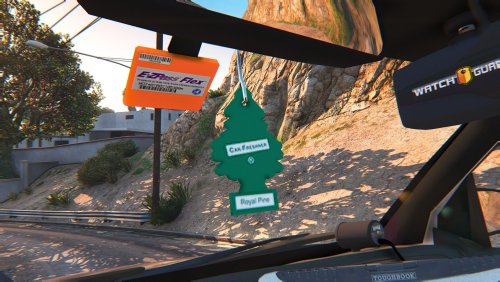 hmm. you should make some more of the different smells haha but no seriously XD. and a bit better quality wouldn't help :)
- 4 comments
- 2 reviews
-
gta doesnt crash, it just gets soo bad until i cant take it so ill ctrl alt del and manually exit @Hastings
-
1xProcessorIntel® Core™ i7-6700 Processor (4x 3.40GHz/8MB L3 Cache) - Free Upgrade to Intel i7-6700K 1xMotherboardMSI Z170A PC Mate -- - *Free Upgrade to MSI Z170A SLI Plus -- 3x PCIe 3.0 x16, 6x USB 3.1 Gen1, 1x USB 3.1 Gen2 Type-C 1xMemory16 GB [8 GB X2] DDR4-2400 Memory Module - G.SKILL Ripjaws V 1xVideo CardNVIDIA GeForce GTX 970 - 4GB - EVGA Superclocked (VR-Ready) - Single Card my info^^ emm whenever i play gta v i get around uhh 1-2 fps and my cpu power spikes to 100, any other game or just using the desktop is fine. also rarely does the same with youtube. please help.
-
ohhh. heard of az dps? they are going with a new look but right now i dont think they have chargers. can you make an Arizona DPS fictional charger? pics down below for references... one with more of a camera flash reflection looks they are going for now... or how about a phoenix, Arizona charger? let me know if you want to do this, i dont think it would be a big project ;)
-
... i only get these with gta5-mods.com or gta4-mods.com in another tab, never got them on this website and im almost always on haha... dont know if you confirmed it on lcpdfr.com or not but just tryin to help and do my thing :)
-
i had to write about this haha i got home to start packing my computer to bring it to my other house. i had a towel on top of it because of he insane amount of dust in this room. (i would imagine its not good for the pc XD) i realized that i will leave in a few days so there isnt much reason to put it away just yet. i hopped on gta and all of the sudden i would get 2 or so fps, and major Major performance issues. i have a gtx 970 graphics card, an i7 6700k processor, 16 gb of ram, and a msi z170A sli plus motherboard. so obviously it cant be not having good enough equipment. i went on google chrome to see what the problem was and of course, youtube and just looking at websites had a similar effect. then i remembered about the towel and had a weird feeling to out it back on so i did, and now it works perfectly fine XD haha... if anybody has a guess at what a permanent solution is, let me know down below and ill try it out!
-
i have that one currently in game. honestly all he did was put some lights on the back. im looking for a start from scratch model because that resembles the stock firetruck too much for some reason. thanks though @PNWParksFan
-
Is anybody working on a real life model of an american firetruck? ive only seen texture mods for gta's firetruck. let me know down below
-
thanks much :) ill try working on it, never got into scripting before XD @Vampyre


