


.png.0048a02679ee4196f88761448c4312f0.png)

BREAKING NEWS: Suspicious Package at LSIA; Large Police Response

By boxvader
- 620 views
- View boxvader's images
WEASEL NEWS REPORTS:
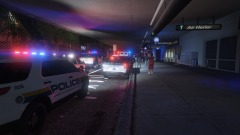
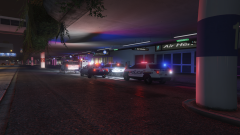
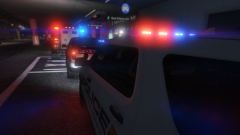
At around 10:15 P.M., officers from the LSIA police department responded to the "San Fierre Air" terminal for a report of a suspicious package. Officers located the unattended package inside the terminal in the baggage claim area. An LSIAPD K9, trained in bomb detection, alerted on the package promoting a response from the Los International Airport Police along with the Los Santos Police department. Several units responded to the area including the LSPD Bomb Squad. An immediate evacuation was performed around the area where the package was located, however the entire terminal was not vacated. All flights were grounded while police handled the situation. Details are scarce as to what was inside the package but technicians with the bomb squad claim the package contained no explosive materials. The package was safely discarded and regular operations resumed at the terminal. Being one of the busiest travel days of the year the 3 hour long ordeal created quite the headache for many travelers. The incident caused delays across the airport resulting in many passengers unable to fly out till tomorrow, Christmas Eve.
Recommended Comments
Join the conversation
You can post now and register later. If you have an account, sign in now to post with your account.