Skip to content
View in the app

A better way to browse. Learn more.

LCPDFR.com

A full-screen app on your home screen with push notifications, badges and more.

To install this app on iOS and iPadOS
  1. Tap the Share icon in Safari
  2. Scroll the menu and tap Add to Home Screen.
  3. Tap Add in the top-right corner.
To install this app on Android
  1. Tap the 3-dot menu (⋮) in the top-right corner of the browser.
  2. Tap Add to Home screen or Install app.
  3. Confirm by tapping Install.

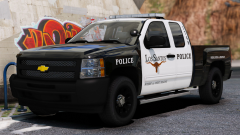
Silverado Bandwagon. (Happy Thanksgiving!)

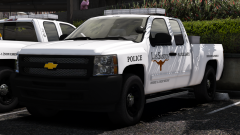
Yes, I too made a Silverado.

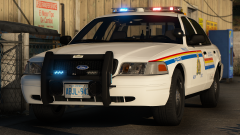
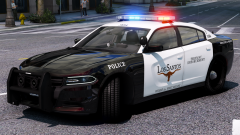
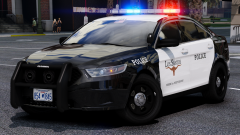
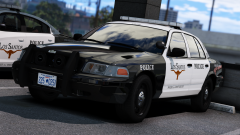
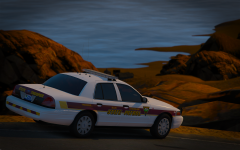
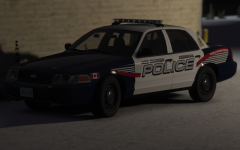
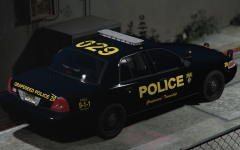
Comes with three liveries, SRT, S&R, and patrol. Also made an Auxiliary Silverado, and a City Works Silverado but Problematic hasn't taken pics of them yet :( So enjoy.


Screenshots by Problematic


20171121204253_1.thumb.png.c7012238b0dd1f1cc641759cc3100c07.png

20171121203004_1.thumb.png.5c4d13f3c6789f7d18c84111ce4e62c0.png

20171121202804_1.thumb.png.2e1b401033767cd8200cd20313070e9e.png

20171121205413_1.thumb.png.3087e444c02ebea946b34ea242b6b452.png

Credit

Izick, Problematic, KevinDV, Matt, Iansonwheels

Copyright

© t0y, Problematic

From the album:

t0y's Projects

· 127 images

Account

Navigation

Search

Search

Configure browser push notifications

Chrome (Android)
  1. Tap the lock icon next to the address bar.
  2. Tap Permissions → Notifications.
  3. Adjust your preference.
Chrome (Desktop)
  1. Click the padlock icon in the address bar.
  2. Select Site settings.
  3. Find Notifications and adjust your preference.