Skip to content
View in the app

A better way to browse. Learn more.

LCPDFR.com

A full-screen app on your home screen with push notifications, badges and more.

To install this app on iOS and iPadOS
  1. Tap the Share icon in Safari
  2. Scroll the menu and tap Add to Home Screen.
  3. Tap Add in the top-right corner.
To install this app on Android
  1. Tap the 3-dot menu (⋮) in the top-right corner of the browser.
  2. Tap Add to Home screen or Install app.
  3. Confirm by tapping Install.

On standby (again...)

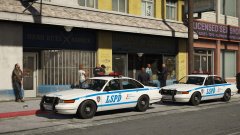
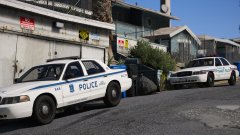
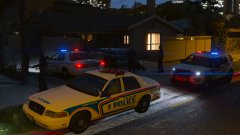
Spent some time rebuilding the old LSPD cars on newer, better quality vehicles. The CVPI's been upgraded to the Forza model, and the '15 Charger has been swapped out for BxBugs 2014 Charger (a personal favourite of mine).


New liveries too, including Transit units and Area Commander vehicles. 


Skins by MrOxPlay, modified for my own personal use. 


20171004214842_1.thumb.jpg.5093f9f33787d44c9e82410cfc7b9e80.jpg

Copyright

© Jedahdiah

From the album:

Jed's Models

· 124 images

Account

Navigation

Search

Search

Configure browser push notifications

Chrome (Android)
  1. Tap the lock icon next to the address bar.
  2. Tap Permissions → Notifications.
  3. Adjust your preference.
Chrome (Desktop)
  1. Click the padlock icon in the address bar.
  2. Select Site settings.
  3. Find Notifications and adjust your preference.