
Skip to content
View in the app

A better way to browse. Learn more.

LCPDFR.com

A full-screen app on your home screen with push notifications, badges and more.

To install this app on iOS and iPadOS
  1. Tap the Share icon in Safari
  2. Scroll the menu and tap Add to Home Screen.
  3. Tap Add in the top-right corner.
To install this app on Android
  1. Tap the 3-dot menu (⋮) in the top-right corner of the browser.
  2. Tap Add to Home screen or Install app.
  3. Confirm by tapping Install.

Vector v2

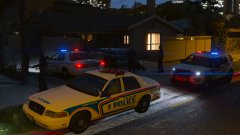
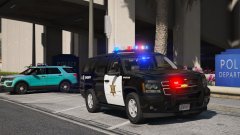
More changes I'm afraid. But for the better!


Lundy very kindly sent me a better quality vector lightbar, and it is stunning. Much better than my custom vector. I'll therefore be converting all the cars over to that version of lightbar.


It'll have a working TA too. Oh and BradM gave me permission to release it with his skin I modified. 


Uh! Plate bug is back. fixed this in game


20170926214416_1.thumb.jpg.b8e4e3866ecb5eb94978424ca7f0d612.jpg


20170926214600_1.thumb.jpg.cc5058a4fabd80956be08ff10b62db5e.jpg

Credit

Jedahdiah, BradM, Lundy

Copyright

© Jedahdiah

From the album:

Jed's Models

· 124 images

Account

Navigation

Search

Search

Configure browser push notifications

Chrome (Android)
  1. Tap the lock icon next to the address bar.
  2. Tap Permissions → Notifications.
  3. Adjust your preference.
Chrome (Desktop)
  1. Click the padlock icon in the address bar.
  2. Select Site settings.
  3. Find Notifications and adjust your preference.