Skip to content
View in the app

A better way to browse. Learn more.

LCPDFR.com

A full-screen app on your home screen with push notifications, badges and more.

To install this app on iOS and iPadOS
  1. Tap the Share icon in Safari
  2. Scroll the menu and tap Add to Home Screen.
  3. Tap Add in the top-right corner.
To install this app on Android
  1. Tap the 3-dot menu (⋮) in the top-right corner of the browser.
  2. Tap Add to Home screen or Install app.
  3. Confirm by tapping Install.

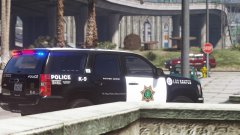
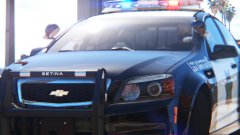
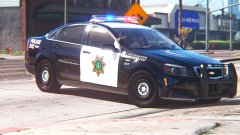
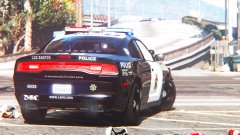
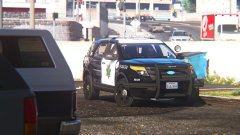
"Frozen" LSPD K9 Tahoe!!!! TAAAHHHOOOOEEEEE

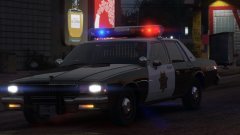
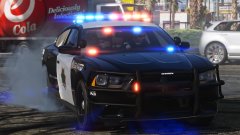
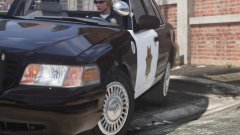
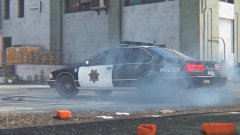
K9-variant of my "Frozen" LSPD livery (if you don't know what that is by now, just look at my previous few images) on a Tahoe!!  As requested.


Livery is all original, inspiration in part by Fresno PD, star is modified San Jose PD.  K9 Tahoe by our very own thegreathah!


Enjoy.  What should be next???  I'm thinking of a "retro" variant on a Caprice 9C1... =PPP


gP1xbiw.jpg

0Z8pVgv.jpg

2KMWOkD.jpg

NFZdNCR.jpg

egsDAQ7.jpg

FyiPtfs.jpg

dB2afIc.jpg

1iUjZd7.jpg

9hbFHKx.jpg

nfHxwQ5.jpg

LUqP5yC.jpg

OEFKcDN.jpg

6qeioVz.jpg

RhUqobU.jpg

vK2YusX.jpg

1MpvIDH.jpg

ojIOJcq.jpg


LSPD!!!!!! !!!!!!!!!!!!!!!!!! !!!!!!!!!!!!!!!!!!!!!!!!!!! !!!!!!!!!!!!!!!!!!!!!! !!!!!!!!!!!!!!!!! !!!!!!!

Credit

thegreathah

From the album:

Los Santos Views

· 120 images

Account

Navigation

Search

Search

Configure browser push notifications

Chrome (Android)
  1. Tap the lock icon next to the address bar.
  2. Tap Permissions → Notifications.
  3. Adjust your preference.
Chrome (Desktop)
  1. Click the padlock icon in the address bar.
  2. Select Site settings.
  3. Find Notifications and adjust your preference.