










By DukSezQuak
- 724 views
- View DukSezQuak's images
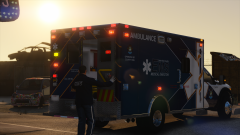
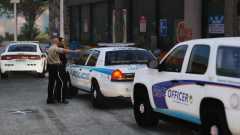
Lakeview County Emergency Services responded for reports of an explosion at a local research facility.
Upon arrival, smoke and flames were visible from the outside of one of the buildings on the campus. One fire engine from each district was dispatched to assist with the fire, and additional resources were dispatched from the City of Los Santos to assist with the fire as well.
Crews are still investigating the cause of the explosion, however state that there was a welding permit issued around the time that the explosion occurred.
Recommended Comments
Join the conversation
You can post now and register later. If you have an account, sign in now to post with your account.