


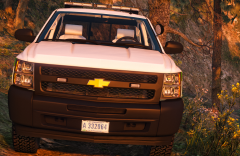


Silverado front end WIP
.thumb.jpg.34f86be080e70a28af1f834e05905f44.jpg)
By RangerRick
- 641 views
- View RangerRick's images
I plan on adding some front-side lighting, and I have a single prisoner cage/partion in this thing, but you can hardly tell due to the glass. Working on fixing that, and then I'll be adding radar and an MDT(toughbook). You may ask why does the USFS need radar? Well, there are speed limits on National Forest System roads, and under 36 CFR 261.54(d), state motor vehicle laws such as speed, can be enforced under our federal law. Hopefully I can add some mirror lighting too.. Still need to find a model to use for that though.
Recommended Comments
Join the conversation
You can post now and register later. If you have an account, sign in now to post with your account.