Skip to content
View in the app

A better way to browse. Learn more.

LCPDFR.com

A full-screen app on your home screen with push notifications, badges and more.

To install this app on iOS and iPadOS
  1. Tap the Share icon in Safari
  2. Scroll the menu and tap Add to Home Screen.
  3. Tap Add in the top-right corner.
To install this app on Android
  1. Tap the 3-dot menu (⋮) in the top-right corner of the browser.
  2. Tap Add to Home screen or Install app.
  3. Confirm by tapping Install.

Gas

20170213153719_1.thumb.jpg.3f0bce9c7d7883fe58eaa119a207ac29.jpg

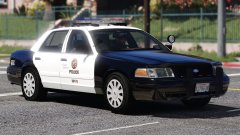
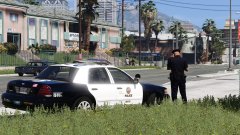
Some changes on the 2009 Charger:

- Added the new Arjent S2

- Gave it templated license plates 

- Added new Setina Partition (Thanks to Five0)

- Edited brakelights a bit and gave the lights a new texture 

Credit

Five0, Solo, Officer27, Desmond98

Copyright

© Scuderio

Account

Navigation

Search

Search

Configure browser push notifications

Chrome (Android)
  1. Tap the lock icon next to the address bar.
  2. Tap Permissions → Notifications.
  3. Adjust your preference.
Chrome (Desktop)
  1. Click the padlock icon in the address bar.
  2. Select Site settings.
  3. Find Notifications and adjust your preference.