


Funny Story Part 1

- 519 views
- View RestrictedArea's images
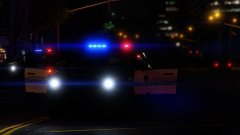
Okay so I was in a traffic stop where a person died. When EMS and more police where on scene the impatient drivers behind me started to get crazy. The first car passed safely, but the second car killed a police officer and a medic. With other officers on the traffic stop scene I rushed into my unmarked FPI sedan and chased the lady. I had ELS installed and without thinking I used multiple sirens. The female got insane, drove fullspeed off a hill and collapsed into a tree, causing the SUV to blow up. These pictures are the aftermath.
Picture 1: The SUV just exploded and fire started spreading. The driver apparently flew threw her windshield out of the car due to the impact.
Recommended Comments
Join the conversation
You can post now and register later. If you have an account, sign in now to post with your account.