


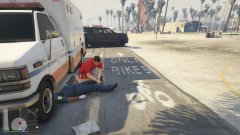


Heart Attack on the Job

By Westcoaster
- 660 views
- View Westcoaster's images
I called for EMS on Del Perro Beach to treat a man suspected of assaulting a woman with a knife. The suspect died and the ambulance was going to drive off; that was until the paramedic driving the ambulance suffered a heart attack as he started the vehicle. I called for another EMS unit and the lifeguard revived him. Although the paramedic is alive, his partner still stayed in the backseat. He did not take the wheel or anything like that, so the first ambulance was just stuck.
Recommended Comments
Join the conversation
You can post now and register later. If you have an account, sign in now to post with your account.