






SAHP in Hot Pursuit

- 1,369 views
- View NefariousBonne's images
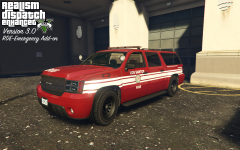
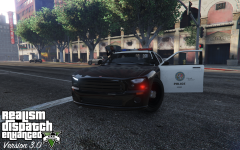
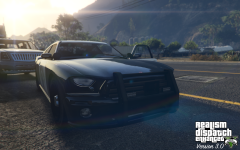
As RDE 3.0 enters the last phases of work, I thought I bring you another teaser; a pursuit featuring the SAHP.
Part of RDE going forward is a major sub-project, lead by yours truly, to rework the vanilla vehicles to more accurately reflect their real life counterparts. Such reworkings and changes include: removing bullbars, tweaking lighting patterns and lightbars, and adding computers. Do note: not all vehicles are guaranteed to be 100% accurate, due to game limitations (i.e.: carcols), and the availability of lore friendly parts.
You can get RDE here: http://www.lcpdfr.com/files/file/9266-realism-dispatch-enhanced/
Short video of this pursuit, showing lights:
https://www.youtube.com/watch?v=GvkUOpM8uaM
Recommended Comments
Join the conversation
You can post now and register later. If you have an account, sign in now to post with your account.