


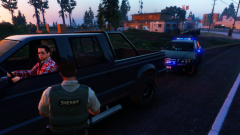
Traffic Stop in the New Caprice

By SoarHawk
- 765 views
- View SoarHawk's images
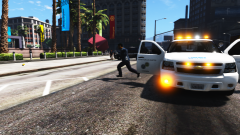
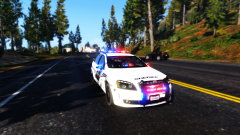
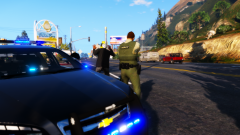
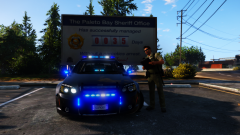
Today, the chief of the Blaine County Sheriff's Office stopped this man who performed an illegal u-turn around a median. Gerald Harper, who was driving the vehicle, was fairly compliant… except the fact that he argued that what he did was 100% legal. Harper was issued a $250 ticket for the illegal u-turn in addition to 2 points on his license, unless Harper chooses to fight the ticket in court. The man was spotted while the chief was testing out a brand new vehicle to Blaine County’s fleet: a 2015 Chevy Caprice. The vehicle is exclusive to only the chief, as is the all blue lighting. The blue lighting on the Caprice is exclusive to this vehicle as well. All other vehicles in the fleet feature red and blues. No expense was spared when crafting the chief’s new Caprice, especially due to the high amount of drug busts in the last two months which sparked a huge increase in revenue for the department. The vehicle features an improved lightbar from the stock model and many additional lighting features purchased separately from an additional lighting company and installed by the department, including the lights shown on the rambar and in the windshield. The vehicle features a slick black paintjob and is unmarked (but certainly not undercover), making it the ideal vehicle to spot out speeders without being noticed. The department, at this point in time, could only afford one Caprice due to the extensive customizations installed, however the chief doesn't feel the need to replace any other vehicles in the department.
Recommended Comments
Join the conversation
You can post now and register later. If you have an account, sign in now to post with your account.