




Shootout in Davis Alleyway

By HankVoight
- 361 views
- View HankVoight's images
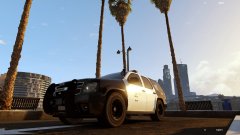
A dangerous and highly regular event occurred in Davis last night as two gangs fought it out over territory which was once owned by the Grove Street Families. The two gangs exchanged gunfire shortly before 11:50 pm and by 11:53 the first black and whites we're on the scene. As Police and County Sheriff's arrived both gangs began firing at Officers in what quickly became a three way battle. Four Police Officers and a Sheriff's Deputy we're taken to hospital with gunshot wounds and at least one of those is believed to be in a critical condition.
An LSPD spokesman said this "Once again gang violence has escalated and taken more of our Officers off the streets. Today is a sad day and with this recent spike in gang activity we are rolling out Operation Steam Roller to take back our streets. More uniformed Officers and Deputies will be out in force looking for any sort of criminal activity. No where is safe."
Recommended Comments
Join the conversation
You can post now and register later. If you have an account, sign in now to post with your account.