





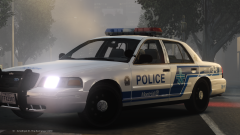
Policia Estatal de Puerto Rico New Livery Pack Complete

By sixium
- 5,541 views
- View sixium's images
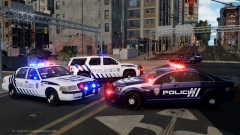
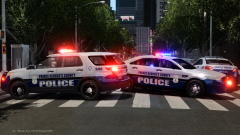
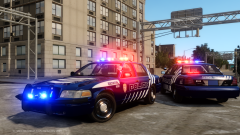
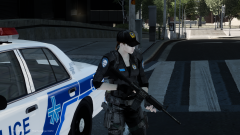
Completed all cars for my Policia de Puerto Rico (Puerto Rico State Police) new-livery mini skin pack. DSF CVPI, Bugs's Tahoe, and Kevin's Caprice PPV. Four unit numbers of each will be included.
I tried to make it as accurate as I can, I believe this has been one of the more difficult ones I've done lol. Those stripes took a lot of experimenting. Features actual fonts. I took a little creative freedom with the rear unit numbers since PPR has them on the rear windows, and I didn't want to deal with window templates =P
Release soon. More after the break =)


Recommended Comments
Join the conversation
You can post now and register later. If you have an account, sign in now to post with your account.