



Surrounded!

By HankVoight
- 993 views
- View HankVoight's images
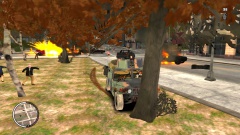
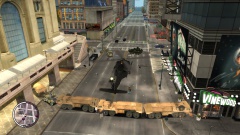
The Marines link up with the Soldiers from the National Guard who are in the middle of a fight for their lives against an unending horde of zombies.. As the men and women get down to their last few rounds and all hope seems lost for them they hear the sound of rotor blades as AH-64D Longbow Apaches and MH-60 Black Hawks swoop down to pick them up and ex fill out of the hell hole which was once a beautiful city.
To be Continued...
Okay guys and gals tell me what you think, should I continue or not?
Recommended Comments
Join the conversation
You can post now and register later. If you have an account, sign in now to post with your account.