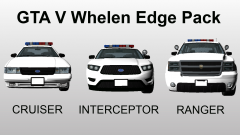
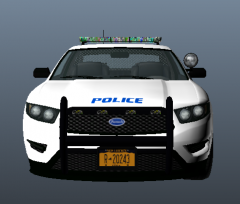
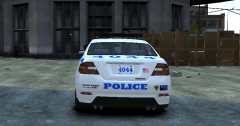
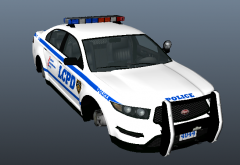
GTA V Whelen Edge Pack - Gameplay test Share https://www.lcpdfr.com/gallery/image/27720-gta-v-whelen-edge-pack-gameplay-test/ Share on Facebook Share on X {lang="reddit_text" More sharing options... Followers Tested my models in-game, and they work absolutely fine! Only problem is... lightbars are slightly misplaced, but misplaced enough to get on your nerves. In the process of fixing this.
HulaRula Members January 26, 201412 yr Author stats My favorite light bar! The cars look really great, perhaps rambars? Also, judging by the lights they look non ELS, any chance of getting an ELS version or am I just being cheeky?
Khanage Members January 26, 201412 yr Author stats My favorite light bar! The cars look really great, perhaps rambars? Also, judging by the lights they look non ELS, any chance of getting an ELS version or am I just being cheeky? I'm not really an ELS person, but sure, I'll make ELS versions at some point. And rambars? Well, at the moment they're causing waaay too many problems for the rest of the models, so I'll stay away from them in the meantime, I'm still learning though ;)





Recommended Comments
Join the conversation
You can post now and register later. If you have an account, sign in now to post with your account.