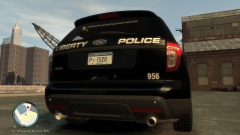
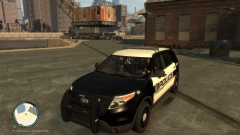
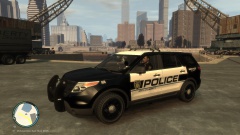
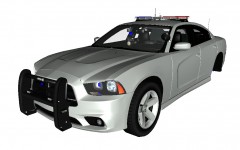
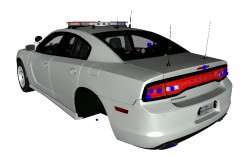
Features the Tomar Scorpion, a pushbar with mounted Whelen IONs and TIR3's. Whelen Vertex's in the headlights and rear bumper. Various other lighting throughout.
*This is just a WIP shot so the photos may not look exactly like the final product. Watch out for it soon!


![[WIP] Slicktop Explorer](http://s3-gallery.int-cdn.lcpdfrusercontent.com/gallery/album_1177/sml_gallery_9139_1177_43124.jpg)
![[WIP] Slicktop Explorer](http://s3-gallery.int-cdn.lcpdfrusercontent.com/gallery/album_1177/sml_gallery_9139_1177_49060.jpg)
![[WIP] Slicktop Explorer](http://s3-gallery.int-cdn.lcpdfrusercontent.com/gallery/album_1177/sml_gallery_9139_1177_15589.jpg)
![[WIP] Slicktop Explorer](http://s3-gallery.int-cdn.lcpdfrusercontent.com/gallery/album_1177/sml_gallery_9139_1177_33296.jpg)

Recommended Comments
Join the conversation
You can post now and register later. If you have an account, sign in now to post with your account.