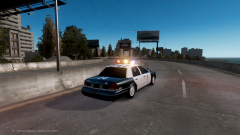
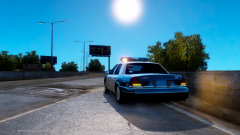
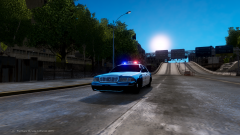
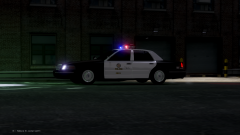
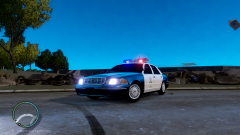
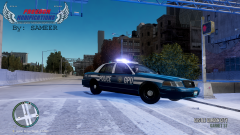
the 1998 Beauty Share https://www.lcpdfr.com/gallery/image/22837-the-1998-beauty/ Share on Facebook Share on X {lang="reddit_text" More sharing options... Followers Been sitting in my computer for tooooo long. Will be releasing soon (after some final touch ups) in following versions (All with chrome hubcaps and no steelies and both ELS and Non ELS): LAPD_LCPD SFPD_LCPD Seattle PD_Liberty PD. More Suggestions are welcome. Freedom Modifications.
Lccop Members October 9, 201312 yr Author stats I wish it was Bugs' model.... :( Bugs' model is a 09....
GreenAid Members October 9, 201312 yr Author stats Bugs' model is a 09.... I mean the base model, and it can be edited easily.
Sheriff Van Dyck Members October 9, 201312 yr Author stats What about adding some antennas and a rambar for a special version?



![[WIP] 2010 DSF Charger](http://s3-gallery.int-cdn.lcpdfrusercontent.com/gallery/album_1575/sml_gallery_20324_1575_2050646.png)

Recommended Comments
Join the conversation
You can post now and register later. If you have an account, sign in now to post with your account.