



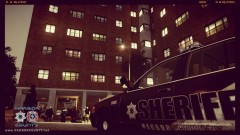
K-9 Deputies 10-8 - ''Starting Strong''.
.thumb.png.ecf43c03aae99a7abd3f5a0d930d62f9.png)
- 746 views
- View InnermostZero's images
Date/Time: 07:05 am June 28th 2013.
----------
Nature: 10-8(On-Duty)
On Scene Personnel: K-9 Deputy A. Winkle - Vehicle No. K611. - K-9 Named ''Duke''.
Location: Franklin Street, District #3, Broker-Dukes, Liberty City, Harbor County. On duty Time 07:05 am - Shift Change taking part 07:10am.
----------
Incident Overview:
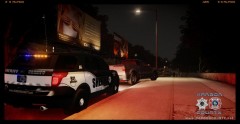
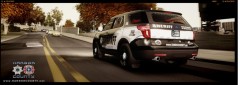
In this picture taken by a member of the HCSO:PR representatives division from a following camera car as they film the well known 10-23 series which follows the regular deputies of the Harbor County Sheriffs Dept. and see what they have to fight and help on a day-to-day basis. Next episode is scheduled to be released soon. This picture was taken in the District #3 location on Franklin Street just seconds away from the local Sheriffs Department ,after the deputy and his dog named ''Duke'' just went 10-8 in service. They entered ''the field of duty'' early as a lot of the gang affiliated subjects decided to partake it the known narcotics sales during shift change at 7:05 am in the morning. To rebel against this Sheriff Shaw has now implemented a new executive order no. 5. Stating that they overlapping on duty vehicle should be on the road 5 minutes before shift change to give a visual presence throughout the district and show known gang members that they Sheriffs Office are enforcing laws 24 hours a day,7 days a week and no exceptions during shift change .
This has proven to be very successful so far with the Sheriff releasing figures of a 67% drop in narcotic operations during the early morning hours in this district.
Recommended Comments
Join the conversation
You can post now and register later. If you have an account, sign in now to post with your account.