


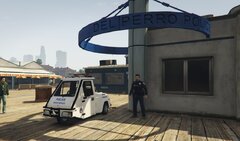


LSPD Retro Fleet.

By MrMook
- 1,100 views
- View MrMook's images
how do you connect with the public after all the fake news has flowed through their empty heads? why dig up what ever dumpy old cars are rotting in the back of the police garage and give em a good spit shine! Introducing the LSPD Retro Fleet! 80s and 90s nostalgia is big here in LS as vapid millennials try and remember the past before they turned it into a hellish degenerate clown world devoid of values and meaning and we're here to help em! keep an eye and ear out for these classics as they have just low enough miles to be able to patrol the streets again.
Recommended Comments
Join the conversation
You can post now and register later. If you have an account, sign in now to post with your account.