


Skip to content
View in the app

A better way to browse. Learn more.

LCPDFR.com

A full-screen app on your home screen with push notifications, badges and more.

To install this app on iOS and iPadOS
  1. Tap the Share icon in Safari
  2. Scroll the menu and tap Add to Home Screen.
  3. Tap Add in the top-right corner.
To install this app on Android
  1. Tap the 3-dot menu (⋮) in the top-right corner of the browser.
  2. Tap Add to Home screen or Install app.
  3. Confirm by tapping Install.

Progress

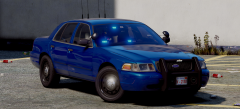
IMkbnpT.jpg

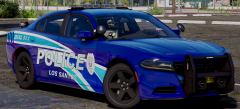
 w5I0Url.jpg

Massive thanks to https://www.lcpdfr.com/profile/105799-thero/ for helping me.Without him it wouldnt be possible.I know it isnt the best ladder cause i dont have that good parts.But i guess its alright.An Ambulance is also in progress and after that i think about an Rescue.So yeah lets see what the time brings 😄 All of that will be featured in the Pack with Jed

From the album:

W.I.P

· 426 images

Account

Navigation

Search

Search

Configure browser push notifications

Chrome (Android)
  1. Tap the lock icon next to the address bar.
  2. Tap Permissions → Notifications.
  3. Adjust your preference.
Chrome (Desktop)
  1. Click the padlock icon in the address bar.
  2. Select Site settings.
  3. Find Notifications and adjust your preference.