Skip to content
View in the app

A better way to browse. Learn more.

LCPDFR.com

A full-screen app on your home screen with push notifications, badges and more.

To install this app on iOS and iPadOS
  1. Tap the Share icon in Safari
  2. Scroll the menu and tap Add to Home Screen.
  3. Tap Add in the top-right corner.
To install this app on Android
  1. Tap the 3-dot menu (⋮) in the top-right corner of the browser.
  2. Tap Add to Home screen or Install app.
  3. Confirm by tapping Install.

Textures Showing in zmodeler but white ingame

Featured Replies


Fixed.

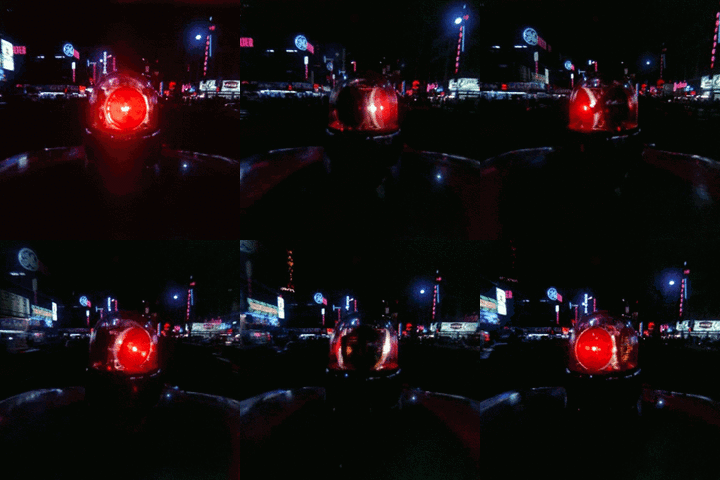
But still the beacon is too reflective, like you can't notice its red.

hDWMIQP.jpg

double check the ytd see what they  textures looks like, could also be too high resolution textures might have to decrease the resolutions. go through ur materials as well. 

  • Author
12 hours ago, Candice said:

double check the ytd see what they  textures looks like, could also be too high resolution textures might have to decrease the resolutions. go through ur materials as well. 

I used this:

https://www.lcpdfr.com/files/file/13538-federal-signal-fireball-fb-11/

I'll check the resolutions but I don't think they are too big.

Edited by Insus100

n-560x95_FFFFFF_FFFFFF_000000_000000.png

2 hours ago, Insus100 said:

Using VisualV. shall I uninstall it?

im not 100% sure visual v shouldn't be causing that. do the textures show in open iv ? annd what resolution are they ?

  • Author
24 minutes ago, Candice said:

its ok  mmm not sure 

what about the paint material is it set up right ?

The paint shows right ingame, it's just the beacon, this is how it looks:


How it should look:

bgHRdHn.jpg


You know, in that image you can see a solid red, while mine has too many reflections and it's too transparent, almost unoticeable it's red.


Here's the material setup in zmodeler:

xQyebEz.png

I tried increasing the opacity, but same result, and it has too much reflection, even if I remove env.dds.

Edited by Insus100

n-560x95_FFFFFF_FFFFFF_000000_000000.png

  • Author
3 minutes ago, Candice said:

looks like ur spec mapp, glass set to transparent ?


Don't really know... vehicle_generic_smallspecmap.dds is set over there2G9FMqk.png

Edited by Insus100

n-560x95_FFFFFF_FFFFFF_000000_000000.png

Join the conversation

You can post now and register later. If you have an account, sign in now to post with your account.

Guest
Reply to this topic...

Recently Browsing 0

  • No registered users viewing this page.

Account

Navigation

Search

Search

Configure browser push notifications

Chrome (Android)
  1. Tap the lock icon next to the address bar.
  2. Tap Permissions → Notifications.
  3. Adjust your preference.
Chrome (Desktop)
  1. Click the padlock icon in the address bar.
  2. Select Site settings.
  3. Find Notifications and adjust your preference.