Skip to content
View in the app

A better way to browse. Learn more.

LCPDFR.com

A full-screen app on your home screen with push notifications, badges and more.

To install this app on iOS and iPadOS
  1. Tap the Share icon in Safari
  2. Scroll the menu and tap Add to Home Screen.
  3. Tap Add in the top-right corner.
To install this app on Android
  1. Tap the 3-dot menu (⋮) in the top-right corner of the browser.
  2. Tap Add to Home screen or Install app.
  3. Confirm by tapping Install.

Planned Multiplayer Game 6 PM EST
Featured Replies

  • Replies 29
  • Views 2.2k
  • Created
  • Last Reply

Top Posters In This Topic

Most Popular Posts

  • Author

Okay, so yes there will be a game tonight. Everyone is welcome to join us. Same bat time, same bat channel.

In an effort to ensure smooth gaming tonight only the following mods are approved:

LCPDFR latest version

DAS latest version

Trainer

Please do not use or have installed any others, though sound files for different sirens should be fine. That means no car mods, no ELS or anything else, we found a much smoother experience with little to no crashes by running the game this way last night.

Please also do not abuse the trainer during gameplay. Too much teleporting, changing mods, exploading things, etc etc etc will cause desync errors and crash people. K.I.S.S. and have a good time. This includes calling in NPC back up, and prisoner transport. As these are known to cause crashes as well in multiplayer. Please do not spawn events, with as many players that were showing up last night, there will be PLENTY of calls for you to go assist with.

To join us in multiplayer follow these steps:

Join the teamspeak server by downloading teamspeak at : http://www.teamspeak...?page=downloads

Next log onto the teamspeak server: http://www.lcpdfr.com/page/teamspeak

Then follow the download and install instructions found here:

Once you have done that, download and install DAS: http://gtapolicemods...?do=file&id=799

Once you have done all of the above, log into the game, and add Drakedge to your windows live friends list. You can also add me to your steam list of friends.

Lots of steps but its not as bad as it seems.

Edited by Drakedge

I should be around tonight!

[img]http://img19.imageshack.us/img19/8016/1t9k.png[/img]

[font="'lucida sans unicode', 'lucida grande', sans-serif"][color=rgb(0,0,255)]BlackerCracker | [/color]Captain [font="'lucida sans unicode', 'lucida grande', sans-serif"][color=rgb(0,0,255)]Liberty City Metropolitan Police Department[/color][/font] [color=#000000]Liberty Emergency Service Agencies Group (LibertyESA)[/color][/font]


I should be around tonight!

Heeelll yeee we will arrest some bad guys! xD

[indent=9][url="http://img805.imageshack.us/img805/5867/gonzyskins.png"][color=#ffffff][img]http://img542.imageshack.us/img542/5867/gonzyskins.png[/img][/color][/url][/indent]

Just to let everyone know, I changed my GFWL gamertag to BC677 from MailableCupid80

Edited by BlackerCracker

[img]http://img19.imageshack.us/img19/8016/1t9k.png[/img]

[font="'lucida sans unicode', 'lucida grande', sans-serif"][color=rgb(0,0,255)]BlackerCracker | [/color]Captain [font="'lucida sans unicode', 'lucida grande', sans-serif"][color=rgb(0,0,255)]Liberty City Metropolitan Police Department[/color][/font] [color=#000000]Liberty Emergency Service Agencies Group (LibertyESA)[/color][/font]


  • Author

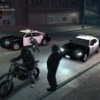
I only got one screen shot for the evening, but peak play time we had about 6 people online.

Tons of fun as always, thanks for coming out!

  • 4 weeks later...

Nice pictures drakedge!!! that was fun, but make sure to watch out for the statue of liberty car or the TREX

i looked out of place, i was holding a knife :)

Director of Fire & Medical Services, LibertyESA


www.libertyesa.com

Founding member of LCPD-NCC & LibertyESA

Join the conversation

You can post now and register later. If you have an account, sign in now to post with your account.

Guest
Reply to this topic...

Similar Content

Recently Browsing 0

  • No registered users viewing this page.

Account

Navigation

Search

Search

Configure browser push notifications

Chrome (Android)
  1. Tap the lock icon next to the address bar.
  2. Tap Permissions → Notifications.
  3. Adjust your preference.
Chrome (Desktop)
  1. Click the padlock icon in the address bar.
  2. Select Site settings.
  3. Find Notifications and adjust your preference.