Skip to content
View in the app

A better way to browse. Learn more.

LCPDFR.com

A full-screen app on your home screen with push notifications, badges and more.

To install this app on iOS and iPadOS
  1. Tap the Share icon in Safari
  2. Scroll the menu and tap Add to Home Screen.
  3. Tap Add in the top-right corner.
To install this app on Android
  1. Tap the 3-dot menu (⋮) in the top-right corner of the browser.
  2. Tap Add to Home screen or Install app.
  3. Confirm by tapping Install.

GTA IV Moded cars Tipping Over

Featured Replies

Hi everyone I used a mod and the vehicle keeps tipping over on Sharp turns. I know that I have to Change the Handling but I can't find The File I'm Looking For In The Handling.dat I'm looking for POLICE3 But I can't Find It Please Help Me 

David McGee

police3 is a vehicle name for Grand Theft Auto V. You've posted this topic in the Grand Theft Auto IV support section and also named the topic to be about GTA IV. Are you having issues with Grand Theft Auto IV or Grand Theft Auto V? 

If you want to me reply as soon as possible, then either quote or @CouthInk4  me as i'll be notified, a general reply will not notify me

Check out my YouTube channel!https://www.youtube.com/channel/UCXj0EXXJfERhPJTROHY6Ma


Untitled.png


There is no Police3 in Grand Theft Auto IV. So it won't be in handling.dat. If you're adding a car then you'll have to add the handling line into Handling.dat

If you want to me reply as soon as possible, then either quote or @CouthInk4  me as i'll be notified, a general reply will not notify me

Check out my YouTube channel!https://www.youtube.com/channel/UCXj0EXXJfERhPJTROHY6Ma


Untitled.png


Why would you need to call it police3? the mod should be fine in Police2.


Anyways, You'll have to create a new handling line. open up Handling.dat, scroll to police 2 and underneath it create a new line and put this


POLICE3   1696 0.33 85 0.0 0.12 -0.65 1.0 4 0.16 1.0 225 0.45 0.56 0.6 32.0 1.6 1.3 10.0 0.12 0.5 2.7 1.8 1.8 0.1 -0.07 -0.015 0.56 1.0 1.0 1.5 1.5 0.0 25000 400010 00000010 0


You will also need to edit the Vehicles.ide line aswell although i'm not entirely sure how to do this (it's been a while since i've modded GTA IV so i don't remember it) 


If you want to me reply as soon as possible, then either quote or @CouthInk4  me as i'll be notified, a general reply will not notify me

Check out my YouTube channel!https://www.youtube.com/channel/UCXj0EXXJfERhPJTROHY6Ma


Untitled.png


They should. if they don't then there is an issue with your game. They maybe in the TBoGT section. 

If you want to me reply as soon as possible, then either quote or @CouthInk4  me as i'll be notified, a general reply will not notify me

Check out my YouTube channel!https://www.youtube.com/channel/UCXj0EXXJfERhPJTROHY6Ma


Untitled.png


oh no. Wait. TBOGT features Police 3 and 4 as the Police buffalo and Stinger. forget what i said about adding that line to handling. go into TBOGT handling.dat and find the police 3 handling line, change it with the one in the readme (which is included with the download).


You're looking in the wrong part for police 1 and 2. When you have Episodes from Liberty City installed things get split up into their games. Scroll through SparkIV (on the side panel) until you find the GTA IV section (it should be right at the bottom) there you will find Police 1 and Police2 

If you want to me reply as soon as possible, then either quote or @CouthInk4  me as i'll be notified, a general reply will not notify me

Check out my YouTube channel!https://www.youtube.com/channel/UCXj0EXXJfERhPJTROHY6Ma


Untitled.png


  • Community Team
3 hours ago, BlueStarLine said:

GTA IV Is Not There

Also there is only a POLICE4 In The Handling

Hey,


So, you could try to use openIV, 


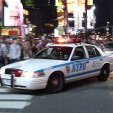
Also, this NYPD car model itself, has worst handling ever, maybe you could try some other car models could be better.


-Peace


       -- LSPD - Collin Gregory - Police Officer III --

This is a support topic.
Only reply here to offer help or assistance to BlueStarLine. Off-topic or "me too" replies will be removed.

Need support yourself? Make a new topic instead.

Join the conversation

You can post now and register later. If you have an account, sign in now to post with your account.

Guest
Reply to this topic...

Recently Browsing 0

  • No registered users viewing this page.

Account

Navigation

Search

Search

Configure browser push notifications

Chrome (Android)
  1. Tap the lock icon next to the address bar.
  2. Tap Permissions → Notifications.
  3. Adjust your preference.
Chrome (Desktop)
  1. Click the padlock icon in the address bar.
  2. Select Site settings.
  3. Find Notifications and adjust your preference.