Skip to content
View in the app

A better way to browse. Learn more.

LCPDFR.com

A full-screen app on your home screen with push notifications, badges and more.

To install this app on iOS and iPadOS
  1. Tap the Share icon in Safari
  2. Scroll the menu and tap Add to Home Screen.
  3. Tap Add in the top-right corner.
To install this app on Android
  1. Tap the 3-dot menu (⋮) in the top-right corner of the browser.
  2. Tap Add to Home screen or Install app.
  3. Confirm by tapping Install.

Taxi problem - no Taxis

Featured Replies

Hi all!


Yesterday, I removed GTA iv (due to a crash) and installed it again today, the old files was included  LCPDFR, some Police mods without ELS and Ford Crown Victoria 2003 Taxi  made by Mr Bolleck and Schaefft.


The Taxi was replacing Taxi 1 ("look a like Crown Victoria") . Now today, when I have a brand new fresh GTA IV installed, the Taxi wont work!


I have installed everything correctly and update as recomended. But now the Ford taxi never shows up! It is just more "Taxi 2 " and Cabbys everywhere, but not the Taxi 1 Ford Crown Victoria Mod.


Sorry for bad english, im from Sweden.


Please help!! This is a lovely mod and I sure want it to work once again!


Questions? Just ask.


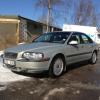
Please se my attachment.


<- Original Gta Taxi | Ford Taxi mod ->

Edited by officer-snowman

How about before you request to close the thread (why you request the thread closed I don't know), an update as to what you did to correction the problem would be appreciated so we all know.


Thanks.


DrDetroit

  • Author

How about before you request to close the thread (why you request the thread closed I don't know), an update as to what you did to correction the problem would be appreciated so we all know.


Thanks.


DrDetroit


Well ok. 


How to solve the Taxi-problem(if only one kind of Taxis shows up in game) :


1. Re-install the game

2. Create a new game

3. Install asi, c+ and that stuff(game update)

4. Install the mod you want

5. Take exempel an nrg 900 and drive for a couple of min overall the map, then the car should show up.


If the car/Taxi still dont shows up at the roads, you might try to install Traffic Flow and add the Taxi on a vehicle- slot.

Edited by officer-snowman

Cool, thanks for the update.  I had the same problem with a nice Crown Vic cab (low ploy), and it wouldn't spawn very often...almost never.  When it did spawn, it had POLICE on the side of the car for some odd reason.  I ended up removing it and all was well again.


Good day,


DrDetroit

This is a support topic.
Only reply here to offer help or assistance to officer-snowman. Off-topic or "me too" replies will be removed.

Need support yourself? Make a new topic instead.

Join the conversation

You can post now and register later. If you have an account, sign in now to post with your account.

Guest
Reply to this topic...

Recently Browsing 0

  • No registered users viewing this page.

Account

Navigation

Search

Search

Configure browser push notifications

Chrome (Android)
  1. Tap the lock icon next to the address bar.
  2. Tap Permissions → Notifications.
  3. Adjust your preference.
Chrome (Desktop)
  1. Click the padlock icon in the address bar.
  2. Select Site settings.
  3. Find Notifications and adjust your preference.