Skip to content
View in the app

A better way to browse. Learn more.

LCPDFR.com

A full-screen app on your home screen with push notifications, badges and more.
To install this app on iOS and iPadOS
  1. Tap the Share icon in Safari
  2. Scroll the menu and tap Add to Home Screen.
  3. Tap Add in the top-right corner.
To install this app on Android
  1. Tap the 3-dot menu (⋮) in the top-right corner of the browser.
  2. Tap Add to Home screen or Install app.
  3. Confirm by tapping Install.
The latest updated version of RAGE Plugin Hook, required to play LSPDFR, can be found inside the LSPDFR download. It is not currently available on the RAGE Plugin Hook website.

New vehicles I just installed are not loading correctly

Featured Replies

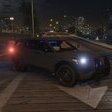
Hello I'm new to LSPDFR and this is my first time installing something to the game. I need help lmao for some reason the textures to the new vehicles I just installed don't load correctly and instead look like this. Can someone please give me a simple fix to this, it's very much appreciated!

Here's the link to the pack: https://www.lcpdfr.com/downloads/gta5mods/vehiclemodels/40872-legacy-lspd-mega-pack-add-onreplace/


Could contain: text, vehicle, land vehicle, screenshot, wheel, motorsport, racing, car, indoor

Could contain: text, screenshot, indoor

Could contain: text, land vehicle, vehicle, screenshot, wheel, motorsport, tire, race car, racing, car, indoor

Solved by TacticalHuey

Go to solution
3 hours ago, TacticalHuey said:

Hello I'm new to LSPDFR and this is my first time installing something to the game. I need help lmao for some reason the textures to the new vehicles I just installed don't load correctly and instead look like this. Can someone please give me a simple fix to this, it's very much appreciated!

Here's the link to the pack: https://www.lcpdfr.com/downloads/gta5mods/vehiclemodels/40872-legacy-lspd-mega-pack-add-onreplace/


Could contain: text, vehicle, land vehicle, screenshot, wheel, motorsport, racing, car, indoor

Could contain: text, screenshot, indoor

Could contain: text, land vehicle, vehicle, screenshot, wheel, motorsport, tire, race car, racing, car, indoorHey there, can you please send me a screenshot of all the files in the location where you have installed your vehicles please.

  • Author
15 hours ago, PudraAU said:
19 hours ago, TacticalHuey said:

Hello I'm new to LSPDFR and this is my first time installing something to the game. I need help lmao for some reason the textures to the new vehicles I just installed don't load correctly and instead look like this. Can someone please give me a simple fix to this, it's very much appreciated!

Here's the link to the pack: https://www.lcpdfr.com/downloads/gta5mods/vehiclemodels/40872-legacy-lspd-mega-pack-add-onreplace/


Could contain: text, vehicle, land vehicle, screenshot, wheel, motorsport, racing, car, indoor

Could contain: text, screenshot, indoor

Could contain: text, land vehicle, vehicle, screenshot, wheel, motorsport, tire, race car, racing, car, indoorHey there, can you please send me a screenshot of all the files in the location where you have installed your vehicles please.

Expand  

Here is my Openiv. To be clear I only put the vehicle files in vehicles.rpf

Could contain: text, screenshot, display, software, computer icon, number

I see the problem here, you have correctly installed the .yft files but there is no .ytd files for your cars. This is what is causing your cars to have texture problems and are loading like that. I have downloaded the pack that you are using and I can see they have provided .ytd files in the pack. I recommend that you go back to the pack and install all the .ytd files for the cars that you are using. Please make sure that you copy and paste every file that is provided for you. 

  • Author
4 hours ago, PudraAU said:

I see the problem here, you have correctly installed the .yft files but there is no .ytd files for your cars. This is what is causing your cars to have texture problems and are loading like that. I have downloaded the pack that you are using and I can see they have provided .ytd files in the pack. I recommend that you go back to the pack and install all the .ytd files for the cars that you are using. Please make sure that you copy and paste every file that is provided for you. 

Hey thank you the textures finally got fixed and I can actually see the cars colours now. But there's still a problem with the lights and tires which are still glitching.

Could contain: land vehicle, vehicle, wheel, outdoor, clothing, tire, person, building, man, footwear, transport, road, trousers, car, ground, police

2 hours ago, TacticalHuey said:

Hey thank you the textures finally got fixed and I can actually see the cars colours now. But there's still a problem with the lights and tires which are still glitching.

Could contain: land vehicle, vehicle, wheel, outdoor, clothing, tire, person, building, man, footwear, transport, road, trousers, car, ground, police

Sorry, I completely missed that you only downloaded the _hi.yft files and not the .yft. Please make sure you are copying and pasting everything that is in the folder that you provided. As such if you still have problems understanding, there are multiple youtube videos showing how to do so. For example the folder normally has 3 files. <name>.yft, <name>_hi.yft and <name>.ytd. You have to paste all of them into your vehicles.rpf. Sometimes there might not be a <name>_hi.yft and sometimes there will be a <name>+hi.yft. Nonetheless make sure you are pasting everything into your vehicles.rpf folder. And if you are using an ELS vehicles, make sure to put the <name>.xml file into your <pack_default> folder in your ELS folder. If you have anymore questions please let me know.

  • Author
  • Solution
22 hours ago, PudraAU said:

Sorry, I completely missed that you only downloaded the _hi.yft files and not the .yft. Please make sure you are copying and pasting everything that is in the folder that you provided. As such if you still have problems understanding, there are multiple youtube videos showing how to do so. For example the folder normally has 3 files. <name>.yft, <name>_hi.yft and <name>.ytd. You have to paste all of them into your vehicles.rpf. Sometimes there might not be a <name>_hi.yft and sometimes there will be a <name>+hi.yft. Nonetheless make sure you are pasting everything into your vehicles.rpf folder. And if you are using an ELS vehicles, make sure to put the <name>.xml file into your <pack_default> folder in your ELS folder. If you have anymore questions please let me know.

They are all showing up now and everything works! Thanks so much man you really made my day!

This is a support topic.
Only reply here to offer help or assistance to TacticalHuey. Off-topic or "me too" replies will be removed.

Need support yourself? Make a new topic instead.

Join the conversation

You can post now and register later. If you have an account, sign in now to post with your account.

Guest
Reply to this topic...

Recently Browsing 0

  • No registered users viewing this page.

Account

Navigation

Search

Search

Configure browser push notifications

Chrome (Android)
  1. Tap the lock icon next to the address bar.
  2. Tap Permissions → Notifications.
  3. Adjust your preference.
Chrome (Desktop)
  1. Click the padlock icon in the address bar.
  2. Select Site settings.
  3. Find Notifications and adjust your preference.