Skip to content
View in the app

A better way to browse. Learn more.

LCPDFR.com

A full-screen app on your home screen with push notifications, badges and more.

To install this app on iOS and iPadOS
  1. Tap the Share icon in Safari
  2. Scroll the menu and tap Add to Home Screen.
  3. Tap Add in the top-right corner.
To install this app on Android
  1. Tap the 3-dot menu (⋮) in the top-right corner of the browser.
  2. Tap Add to Home screen or Install app.
  3. Confirm by tapping Install.

Galls street thunder 1.0

(8 reviews)

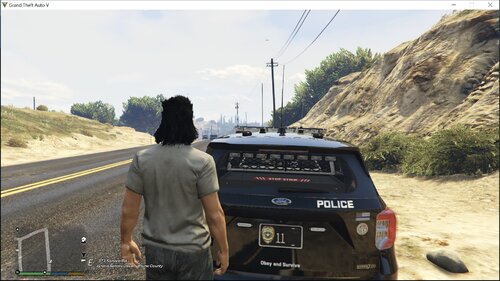
1 Screenshot

This is my first siren, so please forgive the bad editing, i will fix it up.

DO NOT EDIT AND/OR UPLOAD THIS FILE WITHOUT MY PERMISSION!!

http://youtu.be/MLkJ27qYh7o

User Feedback

Recommended Comments

Aaronmac949

Members

Not a good siren

HILOSIREN

Members

I will call the USMC! Yelp and Priority are terrible!

Chip.

Members Author

I know, the loops is what i need to fix, as i said its my first siren.

St.Kizza

Members

LoL! TERRORISTS TERRORISTS! that was funny! xD

Did you use gtaivaud? If so you can listen to the siren there and loop it. it`s easyer to hear where you need to cut the track.

Chip.

Members Author

Okay, thanks for the info

Dramacydal503

Members

This is good for the first siren you've made but not so good to release. The first few of whatever mods you do should really be kept to yourself until you've gotten the hang of what to do when editing these mods. The general idea to looping is to have the start and end points match up obviously, but zoom in almost as close as you can on the waveforms to make sure you're starting and ending the waveforms in the proper place in the loop. I like to find the lowest point on the start/end points of the loop and use that part of the waveform to start and stop the loop.

Perhaps I'll put up a tutorial with pictures when I've finished up the skins I'm working on

Dramacydal503

Members

Also just looking at the size of the file I can tell there will be serious issues with the siren other than just what we hear in the video, GTA IV struggles with HORNS.ivaud files generally above 1mb

Create an account or sign in to comment

Latest Mods

Account

Navigation

Search

Search

Configure browser push notifications

Chrome (Android)
  1. Tap the lock icon next to the address bar.
  2. Tap Permissions → Notifications.
  3. Adjust your preference.
Chrome (Desktop)
  1. Click the padlock icon in the address bar.
  2. Select Site settings.
  3. Find Notifications and adjust your preference.