Skip to content
View in the app

A better way to browse. Learn more.

LCPDFR.com

A full-screen app on your home screen with push notifications, badges and more.

To install this app on iOS and iPadOS
  1. Tap the Share icon in Safari
  2. Scroll the menu and tap Add to Home Screen.
  3. Tap Add in the top-right corner.
To install this app on Android
  1. Tap the 3-dot menu (⋮) in the top-right corner of the browser.
  2. Tap Add to Home screen or Install app.
  3. Confirm by tapping Install.

Battalion 9 FDNY V1

(3 reviews)

3 Screenshots

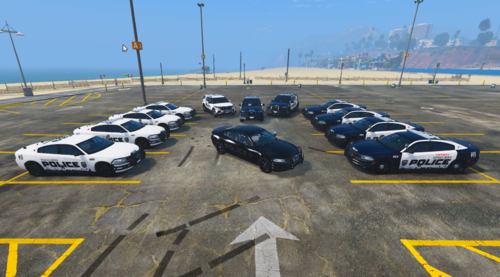
Hey guys, Just a skin I made for y'all If you want a realistic FDNY Battalion 9 Texture (has all the same textures except the writing, I had to improvise on that because I couldn't read it on the Real Battalion 9 Photos.

Hope Y'all Enjoy!

P.S. Sorry about the pictures, I had to use my phone to take them.

What's New in Version V1

Released

  • n/a

User Feedback

Recommended Comments

xrocker12

Members Author

My friend, Impact is a default windows font. Therefore it should be included in GIMP. Impact is much more accurate than Times New Roman or whatever you used.

ok I guess I wasn't looking for impact, I didnt look right so I used Script

42069

Members

Couldn't you just use Gangrenn's default skin that came with it and modify it a bit? Impact is the correct font, so it does look right.

Create an account or sign in to comment

Latest Mods

Account

Navigation

Search

Search

Configure browser push notifications

Chrome (Android)
  1. Tap the lock icon next to the address bar.
  2. Tap Permissions → Notifications.
  3. Adjust your preference.
Chrome (Desktop)
  1. Click the padlock icon in the address bar.
  2. Select Site settings.
  3. Find Notifications and adjust your preference.