Skip to content
View in the app

A better way to browse. Learn more.

LCPDFR.com

A full-screen app on your home screen with push notifications, badges and more.

To install this app on iOS and iPadOS
  1. Tap the Share icon in Safari
  2. Scroll the menu and tap Add to Home Screen.
  3. Tap Add in the top-right corner.
To install this app on Android
  1. Tap the 3-dot menu (⋮) in the top-right corner of the browser.
  2. Tap Add to Home screen or Install app.
  3. Confirm by tapping Install.

Blue Achieve theme vehicle but LSPD 1.0.0

(0 reviews)

5 Screenshots

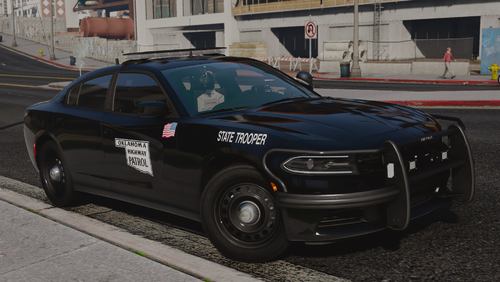
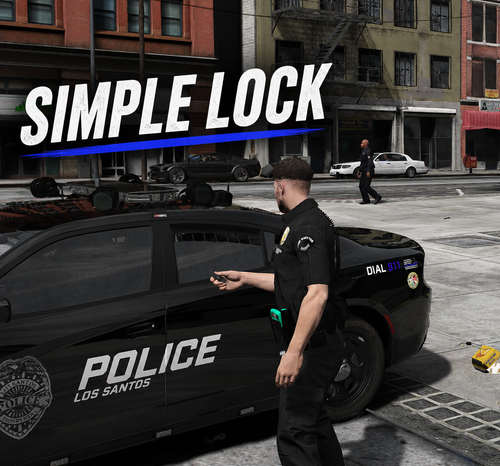
It's the new project that started after finishing the old Dodge.Of course, that was also modified using someone else's car chassis.To avoid the hassle of replacing it, I made it an add-on file.It's time to drive our painful police car on PATROL.

14Tahoe:K-9 PATROL

13taurus,18charge&20fpiu:Regular PATROL


Short Description

BA Theme painful vehicle(LSPD)

AI disclosure

The author has disclosed that AI tools were used in creating the following aspects of this file:

  • Description

User Feedback

Recommended Comments

SG.T Bradford

Members

(edited)

holy christmas tree- (NOT HATIN!!)

Edited by SG.T Bradford

Heisenberg456

Members

First of all, all vehicles in this pack absolutely amazing, especially the lightning parts, because when stage 3, my eyes are going to shine. I love it! But I have question why ı cannot change wheels on charger18, cause ı have some custom wheel pack ? How to change?

BJ USA

Members

yes to this

TaXin152

Members Author

12 hours ago, Heisenberg456 said:

First of all, all vehicles in this pack absolutely amazing, especially the lightning parts, because when stage 3, my eyes are going to shine. I love it! But I have question why ı cannot change wheels on charger18, cause ı have some custom wheel pack ? How to change?

I'm sorry, I have no idea how to do it. I converted it from a FIVEM backpack

Create an account or sign in to comment

Account

Navigation

Search

Search

Configure browser push notifications

Chrome (Android)
  1. Tap the lock icon next to the address bar.
  2. Tap Permissions → Notifications.
  3. Adjust your preference.
Chrome (Desktop)
  1. Click the padlock icon in the address bar.
  2. Select Site settings.
  3. Find Notifications and adjust your preference.