Skip to content
View in the app

A better way to browse. Learn more.

LCPDFR.com

A full-screen app on your home screen with push notifications, badges and more.

To install this app on iOS and iPadOS
  1. Tap the Share icon in Safari
  2. Scroll the menu and tap Add to Home Screen.
  3. Tap Add in the top-right corner.
To install this app on Android
  1. Tap the 3-dot menu (⋮) in the top-right corner of the browser.
  2. Tap Add to Home screen or Install app.
  3. Confirm by tapping Install.

Civ Country Outfit [FiveM Ready] 1.0.0

(0 reviews)

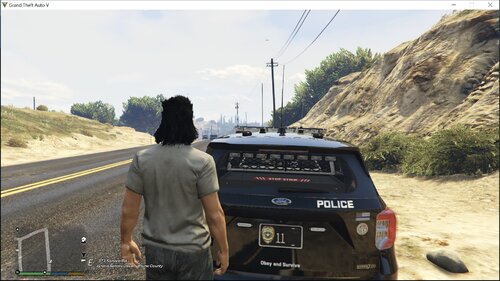
5 Screenshots

Comes with the following: 

Leather Jacket
Undershirt (Comes with PSD for undershirt)
Jeans
Boots
Cowboy Hat
Belt w/ Buckle


Short Description

Comes with the following:  Leather Jacket Undershirt (Comes with PSD for undershirt) Jeans Boots Cowboy Hat Belt w/ Buckle

AI disclosure

The author has disclosed that AI tools were used in creating the following aspects of this file:

  • Images

User Feedback

Recommended Comments

ViolentNomad

Members

How to make it work in single player ?

talonsdevelopment

Members Author

On 7/12/2026 at 8:41 PM, Dntmesswittx713 said:

aye this is dope

Much appreciated

12 hours ago, ViolentNomad said:

How to make it work in single player ?

Just gotta convert the files to single player

Dntmesswittx713

Members

We need a psd for that belt mannn i have so many buckles i could make for my cops i wear these on duty

ViolentNomad

Members

12 hours ago, talonsdevelopment said:

Much appreciated

Just gotta convert the files to single player

Yeah thanks man that is exactly what I was asking HOW ?

talonsdevelopment

Members Author

9 hours ago, ViolentNomad said:

Yeah thanks man that is exactly what I was asking HOW ?

i use a tool called GRZYcloth to convert my stuff to singleplayer

11 hours ago, Dntmesswittx713 said:

We need a psd for that belt mannn i have so many buckles i could make for my cops i wear these on duty

The buckles are made to be that one specifically if that makes sense. But ill see what I can do

Create an account or sign in to comment

Account

Navigation

Search

Search

Configure browser push notifications

Chrome (Android)
  1. Tap the lock icon next to the address bar.
  2. Tap Permissions → Notifications.
  3. Adjust your preference.
Chrome (Desktop)
  1. Click the padlock icon in the address bar.
  2. Select Site settings.
  3. Find Notifications and adjust your preference.