Skip to content
View in the app

A better way to browse. Learn more.

LCPDFR.com

A full-screen app on your home screen with push notifications, badges and more.

To install this app on iOS and iPadOS
  1. Tap the Share icon in Safari
  2. Scroll the menu and tap Add to Home Screen.
  3. Tap Add in the top-right corner.
To install this app on Android
  1. Tap the 3-dot menu (⋮) in the top-right corner of the browser.
  2. Tap Add to Home screen or Install app.
  3. Confirm by tapping Install.

Park Pattern Script for ULC Non ELS cars 1.1

(0 reviews)

1 Screenshot

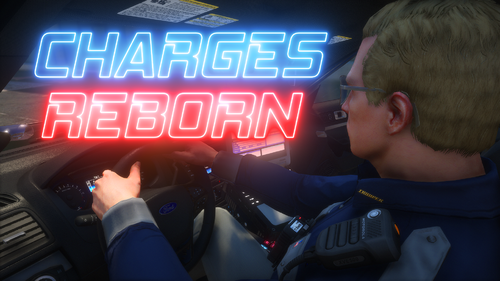
Hello, i made this script for lspdfr for people who use non els ulc cars.

HOW IT WORKS

it works using drive extras and park extras, put the files in your plugins folder and launch your game, also open your RPH log, get into a ulc car wait a couple seconds and open the log and use that hash and put in the ini file (Vehicle model name = 0x0a261a1d) for some reason spawncodes wont work

its very simple so have fun

What's New in Version 1.1

Released

added ai pattern changing and sync with ai backup


Short Description

park patterns for ulc non els cars

User Feedback

Recommended Comments

javier0911

Members

thanks for the mod 🙂 how do you open your RPH log, get into a ulc car wait a couple seconds and open the log and use that hash and put in the ini file (Vehicle model name = 0x0a261a1d) for some reason spawncodes wont work.... can you do a video? sorry i am new


EvanGaming2022

Members

Thank you for making something like this. Almost half of my cars are NON els and ULC

I want to go to sleep

Members Author

7 hours ago, javier0911 said:

thanks for the mod 🙂 how do you open your RPH log, get into a ulc car wait a couple seconds and open the log and use that hash and put in the ini file (Vehicle model name = 0x0a261a1d) for some reason spawncodes wont work.... can you do a video? sorry i am new


if you go to your directory and go under ragepluginhook.exe its the txt file open that and scoll to the bottom. therre should be something that says "[12/14/2025 12:07:33 AM.367] ParkPatterns: [ParkPatterns] Vehicle model name = 0x0a261a1d" that hash is what you need

javier0911

Members

okay yeah i see it it say ---------------- [12/14/2025 7:52:42 PM.747] ParkPatterns: [ParkPatterns] Vehicle model name = POLICE5

how do i make it use with a els ulc vehicle? it uses els to trigger sirens thats it

I want to go to sleep

Members Author

On 1/8/2026 at 2:00 AM, LAPD Cadet Mike said:

how do i make it use with a els ulc vehicle? it uses els to trigger sirens thats it

its only for non els

On 1/25/2026 at 4:10 PM, I want to go to sleep said:

its only for non els

oh well. didnt work extra 2 is my drive extra 5 is my park i removed the els xml

I want to go to sleep

Members Author

On 1/29/2026 at 6:45 AM, LAPD Cadet Mike said:

oh well. didnt work extra 2 is my drive extra 5 is my park i removed the els xml

forsome reason rage was updated and now you have to use the spawncode you cant use the hash anymore

sry

Haze Studios

Members

I have found that the GTA V uses what's called Jenkins Hash, and I had a method that would convert plain text into said hash, which would allow for you to use normal model names in your configs. Might be worth giving it some research 😀

Also what does ULC stand for?

I want to go to sleep

Members Author

1 hour ago, Haze Studios said:

I have found that the GTA V uses what's called Jenkins Hash, and I had a method that would convert plain text into said hash, which would allow for you to use normal model names in your configs. Might be worth giving it some research 😀

Also what does ULC stand for?

Thats really cool, ill look into it. ULC stands for ultimate lighting controller

lieutenantreed

Members

im confused...how do i use this

I want to go to sleep

Members Author

On 1/31/2026 at 5:17 PM, lieutenantreed said:

im confused...how do i use this

so you would get a car pack that uses ulc for park and pursuit patterns which are toggled by extras, you would put the spawncodes in the ini and the park and pursuit extra numbers and when you stop your car the park pattern will start and when you drive te pursuit pattern starts

lieutenantreed

Members

1 hour ago, I want to go to sleep said:

so you would get a car pack that uses ulc for park and pursuit patterns which are toggled by extras, you would put the spawncodes in the ini and the park and pursuit extra numbers and when you stop your car the park pattern will start and when you drive te pursuit pattern starts

can you show me an example? what ini am i looking at

I want to go to sleep

Members Author

On 2/1/2026 at 10:18 PM, lieutenantreed said:

can you show me an example? what ini am i looking at

parkpatterns.ini, you will get a car pack with ulc that is non els 90% of the time the packs are paid such as https://redsaintmods.com/shop/2025-allegiant-pack https://redsaintmods.com/shop/2024-cenator-pack https://redsaintmods.com/shop/2025-mpower-pack https://jadesignsfivem.com/en-us/products/2025-rx2700-code-3-mega-package-ulc https://jadesignsfivem.com/en-us/products/whelen-liberty-mega-package-ulc

lieutenantreed

Members

9 hours ago, I want to go to sleep said:

i have a ton ofulc packs. im just confused on where to put the cars model name in the pattern ini

On 2/3/2026 at 8:38 AM, lieutenantreed said:

i have a ton ofulc packs. im just confused on where to put the cars model name in the pattern ini

replace helloworld with model name

lieutenantreed

Members

On 2/7/2026 at 9:21 AM, LAPD Cadet Mike said:

replace helloworld with model name

and all i have to do is put the vehicle name and the park and drive #s and it should work?

lieutenantreed

Members

On 2/7/2026 at 9:21 AM, LAPD Cadet Mike said:

replace helloworld with model name

also am i able to use multiple vehicles

14 hours ago, lieutenantreed said:

also am i able to use multiple vehicles

i think just copy

"[HelloWorld]

ParkedExtras = 3,4

DrivingExtras = 1" for each vehicle

14 hours ago, lieutenantreed said:

and all i have to do is put the vehicle name and the park and drive #s and it should work?

yes

this also works for ulc vehicles with blank els xmls. it toggles the extras for them

I want to go to sleep

Members Author

hi sorry ive been absent, you can do multiple vehicles all you have to do is copy the

"[HelloWorld]

ParkedExtras = 3,4

DrivingExtras = 1"

and replace the hello world with the spawn name, if you have more then one extra that needs to be toggled you put the numbers that the extra is eg 1,3,4,5 do not put any spaces. hope this helps a little bit

fireems68023

Members

(edited)

just tried this out and it is so cool!! one issue I'm having though is the car door keeps closing when I leave the vehicle and my vehicle doesn't take any damage? is that a bug?

Edited by fireems68023

I want to go to sleep

Members Author

14 hours ago, fireems68023 said:

just tried this out and it is so cool!! one issue I'm having though is the car door keeps closing when I leave the vehicle and my vehicle doesn't take any damage? is that a bug?

i dont have that problem with it but ill retest, thanks

fireems68023

Members

(edited)

3 hours ago, I want to go to sleep said:

i dont have that problem with it but ill retest, thanks

thanks, I'm using ja designs non-els paid cars and on the current gta 5 legacy version and for example how i have it set (if any of that info helps lol)

[rx19fpiu]

ParkedExtras = 1,10

DrivingExtras = 2,3

just wanted to make sure I have it setup correct

Edited by fireems68023

fireems68023

Members

(edited)

On 2/24/2026 at 9:38 PM, I want to go to sleep said:

i dont have that problem with it but ill retest, thanks

did u ever get a chance to look into that issue?

Edited by fireems68023

Create an account or sign in to comment

Account

Navigation

Search

Search

Configure browser push notifications

Chrome (Android)
  1. Tap the lock icon next to the address bar.
  2. Tap Permissions → Notifications.
  3. Adjust your preference.
Chrome (Desktop)
  1. Click the padlock icon in the address bar.
  2. Select Site settings.
  3. Find Notifications and adjust your preference.