



Comando Raggruppamento Subacquei e Incursori Teseo Tesei
COMSUBIN (Comando Subacquei Incursori) is first and foremost a secret special operations unit. Its membership is a fairly well-guarded secret.
The Raiders are composed of volunteer officers and non-commissioned officers with an average age of 29 who are capable of:
- surface and under-water swimming
- use of naval units
- assault on stationary and moving naval units
- deployment from helicopters through various means
- movement during day and night in unknown and rocky terrain
- deployment from submarines while underwater and on surface
- use of automatic and commanded parachute
- use of arms, explosives and special weapons
- capability to reside in unknown hostile territory for long-term
- use of various land vehicles
After a member has qualified as a Raider, he may take up a number of specialisations including:
- Free Fall Parachutist
- Mountain Guide
- aerial photography analyst
- Explosive Ordnance Disposal
- Launch Director
- Military Mountain Troop Instructor
- Naval and Submarine Photographer
Short Description
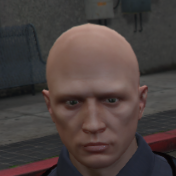
italian naval special forces skin
myself
+hanakos great eup pack
https://www.lcpdfr.com/downloads/gta5mods/character/29396-eup-clothes-pack/
+hanakos great eup pack
https://www.lcpdfr.com/downloads/gta5mods/character/29396-eup-clothes-pack/


.thumb.jpg.7fb30b25d8001beb18e32669426037c0.jpg)





.thumb.png.4723cdd95d7c342dfe89212410116340.png)


![[ELS-HYBRID] [ADD-ON] 2017-24 Georgia State Patrol Mini-Pack](http://s3-screenshots.int-cdn.lcpdfrusercontent.com/monthly_2026_09/Screenshot_3635.thumb.png.c6c3ac060b13aaa0e3bf6a122068166e.png)
Recommended Comments
Create an account or sign in to comment