Skip to content
View in the app

A better way to browse. Learn more.

LCPDFR.com

A full-screen app on your home screen with push notifications, badges and more.

To install this app on iOS and iPadOS
  1. Tap the Share icon in Safari
  2. Scroll the menu and tap Add to Home Screen.
  3. Tap Add in the top-right corner.
To install this app on Android
  1. Tap the 3-dot menu (⋮) in the top-right corner of the browser.
  2. Tap Add to Home screen or Install app.
  3. Confirm by tapping Install.

Acadian Ambulance Skin (Golf Cart) V.2

(1 review)

8 Screenshots

Acadian Ambulance skin for the ELS Golf Cart.

DO NOT EDIT OR RE-UPLOAD

I own no rights to the model, it is only used to show the skin.

Feel free to submit any skin request to rebelcustom.webs.com

Be sure to download the rest of the Acadian Ambulance fleet!
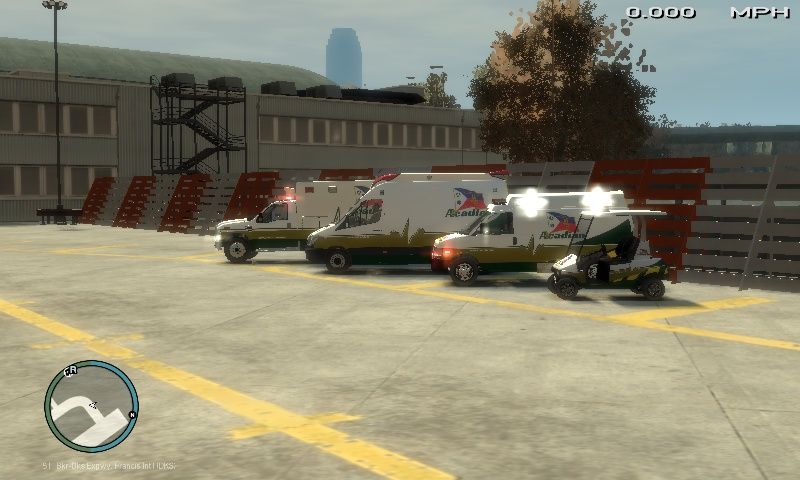
GTAIV2013-9-17-19-50-43-867_zpsc6e9ef67.

What's New in Version V.2

Released

  • Added skin with Texas markings as separate download.

User Feedback

Recommended Comments

RyanG

Members

I love these skins! they are beautiful! 5/5

Ash992478

Members

Very nice but what is it with people making skins for the golf cart there has been loads recently

CrossFire

Members

Ummm.....Since when is a golf cart an ambulance?

nick88fan

Members Author

Ummm.....Since when is a golf cart an ambulance?

Agey

Members

Looks like someone puts alot of time and effort into these skins. Me gusta mucho, 5/5

XBR410

Members

why didn't you just release all of this in a pack?

Create an account or sign in to comment

Account

Navigation

Search

Search

Configure browser push notifications

Chrome (Android)
  1. Tap the lock icon next to the address bar.
  2. Tap Permissions → Notifications.
  3. Adjust your preference.
Chrome (Desktop)
  1. Click the padlock icon in the address bar.
  2. Select Site settings.
  3. Find Notifications and adjust your preference.










