


This is about 2 years old now as of 2024 so not up to current quality standards. just updated it to fix some stuff.
for example this pack doesn't have LODs which is something i do now.
Welcome back peeps!
i now have for you a Blaine County Sherriff Office Pack i made over the course of a month.
this pack is based off of Richmond County Sheriff, GA.
Also.. this pack is an all blue pack. as based off of the real department. so sorry red/blue lovers
This pack will fill all your game slots with a total of 9 Cars
Vehicles include:
2011 Crown Victoria
2014 Charger
2014 Tahoe
2016 Caprice
2016 Explorer
2018 Charger
2018 Charger Unmarked
2020 Silverado
2021 Durango Unmarked
FAQ:
Q:can you add this car to the pack?
A: No as stated I am leaving for holiday soon and have already started on my next pack I also have factory reset my computer and lost important files
KNOWN BUGSSS:
the mirror lights and plate lights on some vehicles don't move (this is due to limitations with ELS and i cant fix sorry)
As always....
DO NOT rip or republish my work (Don't be one of those people)
DO NOT edit this pack without my permission
Give me credit if this pack is used in yt vid or stream(Helps spread the word)
If you like my work or want to see any upcoming projects, join my discord https://discord.gg/6xHyEE9 .
For any issues or questions, feel free to DM me at Scorpionfam#1073 on discord
Edited by Scorpionfam
Added caprice to vehicle list
What's New in Version 1.1.2
Released
Added templates because i forgot them 😉
1.1.1
Added 2016 Caprice
Fixed 2014 Tahoe antenna doing its own thing.
1.1.2
Fixed issue with 2018 charger addon not being able to pull people over.
Short Description
thanks to nutty editz for screenies
---Cars---
2010 Ford CVPI by Turn 10 Studios, Converted to V by OfficerUnderwood
Edited into 98-11 by OfficerUnderwood
- 98-05 Guages by Ubisoft
- AM/FM/CD by OfficerUnderwood
- 98-02 Headrests and textures by Lundy
- 98-02 Front door panels by Ubisoft, Rear by Schaefft
- 98-02 Light panel by Ubisoft
- Chrome and Matte Black grille by Ubisoft
- 98-08 Trim by OfficerUnderwood, SAP by Schaefft
- 06-11 Steelies by Carper
2007 Tahoe by someone on 3dCadBrowser
- Modifed into 2014 and converted to GTA V by OfficerUnderwood
- Interior by ShadyDK14, fitted by Peralta, edited by Peralta and OfficerUnderwood with parts by Ubisoft
- Light textures by Peralta
- Mirrors & door handles by Ubisoft, fitted by Peralta
- Center area, steering wheel, door arm rests, & seats by Ubisoft, edited by OfficerUnderwood.
- Wheels by BxBugs123
Original 2012 Dodge Charger from FM4
- revamped, remodeled, and turned into a 2014 Dodge Charger Pursuit by GeorgieMoon.
- Purchased by Scorpionfam#1073
2016 FPIU base model originally by Humster3D/Turbosquid; remodeled, textured, and converted to GTA V by Kane104
- Templates, new grilles, steelies, hubcaps, and all included accessories made by Kane104
- Tyre sidewall textures by Robert, tread and normal map by Kane104
- Tyre dirt texture by Robert, edited by Cj24
- LODs and linked textures by Dan with the Van!
- Body dirtmap by Cj24
- Radio/cluster display textures by CEO
- Interior emissives/dials, configurations and installation set up by Cartres
- Handling line by Dewey
2016 caprice
Dbanker96: Father and Funder of the Project, he bought the Hum3D Model and has worked with us since the first release
Elf: Elf has made Templates for the Caprice,
Hyena: He rerendered the Template so it looks much better
Chris P.: I was the one who started this project nearly (I just checked, its been a year) a year ago. I've worked alot on it.
2015 Dodge Charger from Forza, edited into the 2018 Dodge Charger Pursuit by Matt with parts from FH3 and Gamemodels
- Seats, center mirror, shifter and dash edits modeled and done by Kane104 - commissioned by Ranger Rick
- Major help from EVI for digital dial information and help to get the dials working and his patience to help me
- Rear bumper diffuser modeled by Patrol 31 Normal edits by Steinberg
- AWD/Charger badge modeled by iansonwheels Converted to V by Matt
- AWD Steelies/Hubcap modeled by iansonwheels Converted to V by Matt
- Big thanks to Cj24 for beta testing the model and help with spec maps and normal maps and his overall knowledge of gta materials
- Interior dial textures made by NeonLazer
- Interior button textures made by Slendis
- Rims from Gamemodels.ru Centercap edited by Matt
- Dome Light modeled by Matt
- A big thanks to Cj24, Kane104, EVI, Patrol 31, Steinberg , Desmond , NeOnLaZeR, Izick, Rekram, HDgamerzPC, and a big thanks to Ranger Rick who bought 3D parts so that i wouldn't give up on this project and bought me a Zmodeler license so that i can keep working on this project Thank you Rick.
- Thank you to everyone who supported me and the project...
- Another big thanks to iansonwheels who had the time to make the AWD steelies and AWD package stuff....
- Normal fixes, Hole patching, Rextured by Steve6645.
- Textures by Steve6645
- Rogue Thunder for providing ref pics
- Console, Dash by Forza
- Multiple textures by GeorgieMoon
2020 Silverado by BransonDuck
2021 Durango by RAZ3R DISCORD: MAMA MURPHY#8370
---Interior---
Black-Rac Rack modeled and textured by Frost88
M4 Rifle off Turbosquid and converted by Frost88
Brother Jet Printer by Recon
Z3S Controller modeled and textured by Cj24
Cones by Lix#2908
Console modeled and textured by Cj24.
Harris 7100 Modelled & Textured By Jakub (just used microphone)
LoJack and Controller Modeled, Textured, and Converted to GTA V by Sniper67
Motorola O2 radio modeled and textured by KLE0. Thanks to Patrol 31 for reference photos.
Panasonic Arbitrator dashcam modeled and textured by Cj24
Partition by Twurtleeee
Stalker Radar Modelled & Textured by Jakub
Toughbook CF-31 modeled and textured by Cj24.
Setina SUV Trunk Organizer modeled and converted to GTA V by Sniper67.
- Textures by Sniper67 and Terry Sloman.
boot equipment pack by BillyJModifications
medical equipment by ThatGuyJustinH
Clorox Wipes by JakobMC
Fire Extinguisher
- Mark - Model to z3d & PolyCrunching a bit.
- Models - Vartanyan, theflyingtim (TurboSquid)
Narcan By Othrin
Cargo barrier by Krul
- Robert - Support
- Krul - Textures & Reference
- MiikeMQ - Help & Testing
---Lights---
Code 3 RX2700 modeled and textured by Cj24.
Code 3 MR6 modeled and textured by Cj24.
Code 3 HB6PAK modeled and textured by Cj24.
Code 3 Wingman modeled and textured by Cj24.
SoundOff Intersector Scratched and converted and such by Frost88 Emissive textures by Black Jesus
Unity LED spotlight modeled and textured by Cj24.
---Other Stuff---
Motorola antennas modeled and textured by Cj24.
Toolboxes Modeled by Walters, UV Mapped by Walters, Textures from Five0.


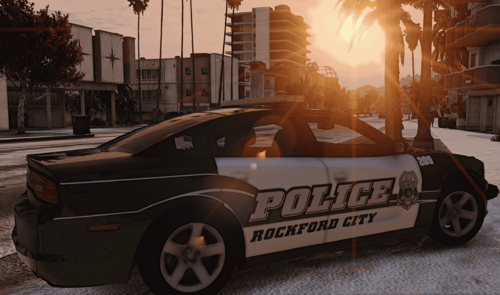

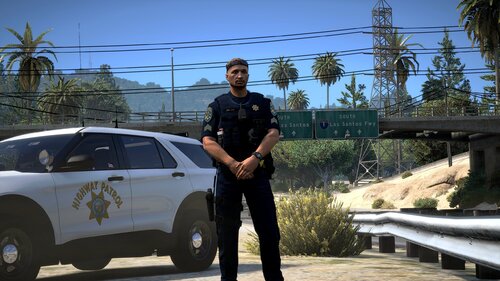

![[N-ELS][FiveM Ready] Carabineros de Chile Dodge Charger Pursuit Mini-Pack](http://s3-screenshots.int-cdn.lcpdfrusercontent.com/resize/500/-/monthly_2026_07/2676230_20260607212604_1.thumb.png.067740c73f22f5ff14ad6e7358181357.png)





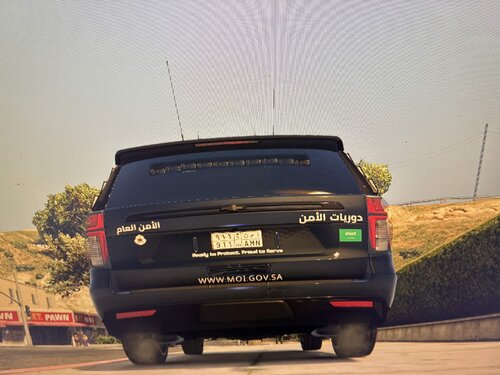

![國道警車 National Highway Police Car(BMW 530d)[Add-on|ELS|Rotating Lightbar]](http://s3-screenshots.int-cdn.lcpdfrusercontent.com/resize/500/-/monthly_2026_07/271590_20260622024235_1.thumb.png.3ff86895855bc073f6be361549132cb7.png)


Recommended Comments
Create an account or sign in to comment