


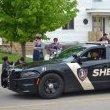


**Custom Warren, Michigan Liveries for the 2018 Charger, 2020 Tahoe and 2016 Explorer**
In Total 3 Liveries
- 3 Warren, PD
- 0 LSPD
**Explorer may be added in the future**
**Future, the EXP has been added**
These liveries were made by me because I'm not the biggest fan of Warrens actual livery so I decided to make my own. Enjoy!
Installation Summary:
(The livery files provided are .dds)
Installation:
- Open OPENIV
- Open your models .ytd file
- Replace whatever Livery is currently in there with mine.
- Now just in case hit Properties for the Livery File in OPENIV and change the MIPMAPS to 1 (This is to prevent horrible quality livery)
- Save/Exit and ENJOY!
(Charger models have very common templates so there's a good chance it'll work with your model...AS LONG AS ITS THE SAME BASE VEHICLE)
Template Used for Charger/Tahoe/Exp will be in the File for comparison.
****These are tested on Ripples Liberty II pack****
Contact me at my Discord PWDMaximum#8910 for help.
Edited by PWDMaximum
What's New in Version 1.0.1
Released
- Explorer Livery Added
- www.warrenpoa.com replaced with warrenpdrecruiting.com
Short Description
Me
Ripples Development LLC










![Arkansas State Police [4K]](http://s3-screenshots.int-cdn.lcpdfrusercontent.com/resize/500/-/monthly_2026_05/Screenshot_2716.thumb.png.206c8db8b3e9230c2692e6b5b347b435.png)


![Slovenia Emergency Service Pack - 10 Vehicle - [REPLACE] [ELS] [REFLECTIVE]](http://s3-screenshots.int-cdn.lcpdfrusercontent.com/resize/500/-/monthly_2026_05/profilbild.thumb.png.38515307375bb5cf424e5e284a989253.png)


Recommended Comments
Create an account or sign in to comment