Skip to content
View in the app

A better way to browse. Learn more.

LCPDFR.com

A full-screen app on your home screen with push notifications, badges and more.

To install this app on iOS and iPadOS
  1. Tap the Share icon in Safari
  2. Scroll the menu and tap Add to Home Screen.
  3. Tap Add in the top-right corner.
To install this app on Android
  1. Tap the 3-dot menu (⋮) in the top-right corner of the browser.
  2. Tap Add to Home screen or Install app.
  3. Confirm by tapping Install.

Sheriff Plate [.PSD]

(0 reviews)

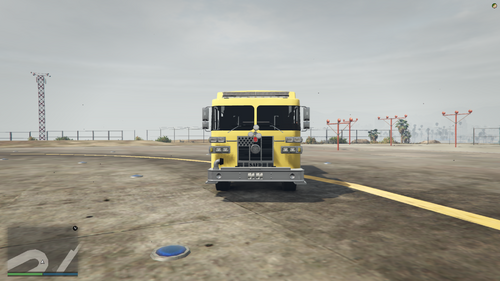
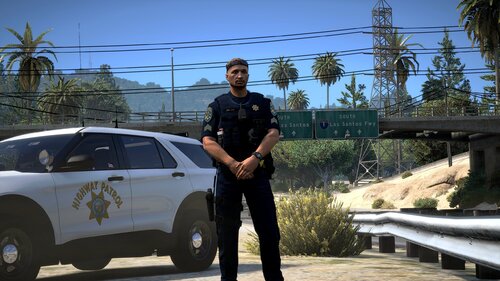
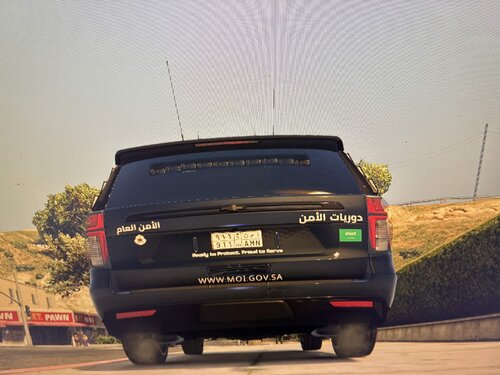
3 Screenshots

DO NOT claim as your own
If you make edits to the texture DO NOT re-upload without asking me


If you release these on a livery please provide proper credits.


If you like this texture leave a ★★★ review

If you didn't like this texture leave a comment explaining why

Edited by PEEP
Updated description

What's New in Version 06/14/2021 10:00 AM

Released

Removed font links & added font download's


Short Description

High Quality sheriff plates with .PSD and .PNG versions

User Feedback

Recommended Comments

Kihnix

Members

Where do i get the licenseplate font?

PEEP

Members Author

1 hour ago, CC2020 said:

The number on the license plate does not appear to be in license-plate-usa font🧐

Thanks for bringing that to my attention turns out I linked the wrong font the real font is https://www.fontspace.com/license-plate-font-f3359


MyToasty

Members

I would LOVE these plates, but how do you install them?

PEEP

Members Author

3 hours ago, MyToasty said:

I would LOVE these plates, but how do you install them?

These do not replace the in game plates this is a texture meant for livery makers. to add it to your game you must add it to a car models livery.

MyToasty

Members

oh okay that makes a lot more sense!

Create an account or sign in to comment

Account

Navigation

Search

Search

Configure browser push notifications

Chrome (Android)
  1. Tap the lock icon next to the address bar.
  2. Tap Permissions → Notifications.
  3. Adjust your preference.
Chrome (Desktop)
  1. Click the padlock icon in the address bar.
  2. Select Site settings.
  3. Find Notifications and adjust your preference.