Skip to content
View in the app

A better way to browse. Learn more.

LCPDFR.com

A full-screen app on your home screen with push notifications, badges and more.

To install this app on iOS and iPadOS
  1. Tap the Share icon in Safari
  2. Scroll the menu and tap Add to Home Screen.
  3. Tap Add in the top-right corner.
To install this app on Android
  1. Tap the 3-dot menu (⋮) in the top-right corner of the browser.
  2. Tap Add to Home screen or Install app.
  3. Confirm by tapping Install.

New Jersey State Police Pack 2.0

(3 reviews)

27 Screenshots

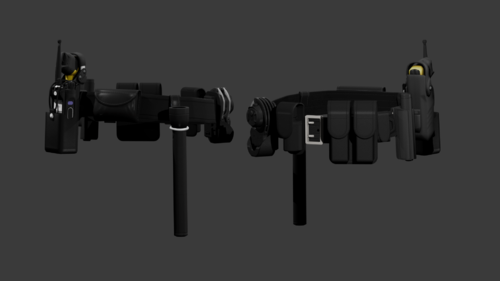
So here's my NJSP Mini Pack. These were obviously skins after NJSP. I took the time to detail these and make these as accurate as possible.

These currently are non-lore and for certain vehicles, however..... you can message me on discord JerzyTim#1327 and I can make the fit whatever vehicle and make them lore if you'd like.

These were skinned using Redneck and XBR Vehicles, as stated above I will make them fit whatever vehicle you are using if needed.


If you find any bugs or anything you would like different leave a comment or message me on discord.


Vehicles:

CVPI: Marked (Redneck)

Caprice: Marked, Ghost (Redneck)

16 Explorer: Marked (Redneck)

14 Tahoe: Marked (Redneck)

18 Tahoe: Marked, Ghost (Redneck)

Camaro: Marked (Redneck) *Disclaimer, the Camaro is not an actual NJSP Car.

Harley: Marked (XBR410)


Check out the NJSP Eup made by TrpCharles, he has the best NJSP EUP around!


Edited by JerzyTim

What's New in Version 2.0

Released

Added Skins for the 2020 Explorer

Added more screenshots including a screenshot of the Ghost Skin


Short Description

Accurate non-lore NJSP Skin PAck

User Feedback

Recommended Comments

OfficerJance

Members

Hey, do you mind attaching the vehicles so it could be easier for us to download and use? Thanks!

Haze Studios

Members

30 minutes ago, OfficerJance said:

Hey, do you mind attaching the vehicles so it could be easier for us to download and use? Thanks!

Some of them are paid

Bryon Meyers

Members

no links to the vehicles?

tonegtv

Members

super dope. as a New Jersey native I am very happy! any way to make these lore friendly, or lore friendly on the way ? 


JerzyTim

Members Author

4 hours ago, OfficerJance said:

Hey, do you mind attaching the vehicles so it could be easier for us to download and use? Thanks!

The vehicles used are made by Redneck and XBR410 and they have to be purchased

2 hours ago, ToneTheTank said:

super dope. as a New Jersey native I am very happy! any way to make these lore friendly, or lore friendly on the way ? 


If the demand for lore friendly is there I can for sure make them!

migue1torres

Members

The Explorer folder has the harley skin instead of the explorer one


JerzyTim

Members Author

29 minutes ago, migue1torres said:

The Explorer folder has the harley skin instead of the explorer one


I will look into that right now


superstacie2011

Members

Please provide the download link as Redneck has multiple vehicles he has put out and I am not sure which CVPI to choose.

rohsauruas

Members

On 10/1/2020 at 7:52 PM, JerzyTim said:

The vehicles used are made by Redneck and XBR410 and they have to be purchased

If the demand for lore friendly is there I can for sure make them!

I would love to see a lore friendly variant! There are so few NJSP packs here so it really excites me when I see one!
Thanks!

DanCandy

Members

+1 Vote for Lore Friendly!

Lieutenant Dann

Members

Once I finally get my LSPDFR working, I plan to download this mod. NJ native, I’d love to play with the cars. 

officer King218

Members

hi sup i just want to ask you is you have a link for the Caprice: Marked, Ghost (Redneck)?

realcelestial21

Members

can you post the vehicle link? even if it's paid...

Create an account or sign in to comment

Latest Mods

Account

Navigation

Search

Search

Configure browser push notifications

Chrome (Android)
  1. Tap the lock icon next to the address bar.
  2. Tap Permissions → Notifications.
  3. Adjust your preference.
Chrome (Desktop)
  1. Click the padlock icon in the address bar.
  2. Select Site settings.
  3. Find Notifications and adjust your preference.