
JerzyTim
Members
-
Joined
-
Last visited
Files posted by JerzyTim
-
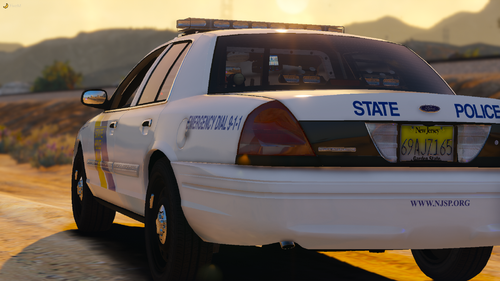
So here's my NJSP Mini Pack. These were obviously skins after NJSP. I took the time to detail these and make these as accurate as possible.
These currently are non-lore and for certain vehicles, however..... you can message me on discord JerzyTim#1327 and I can make the fit whatever vehicle and make them lore if you'd like.
These were skinned using Redneck and XBR Vehicles, as stated above I will make them fit whatever vehicle you are using if needed.
If you find any bugs or anything you would like different leave a comment or message me on discord.
Vehicles:
CVPI: Marked (Redneck)
Caprice: Marked, Ghost (Redneck)
16 Explorer: Marked (Redneck)
14 Tahoe: Marked (Redneck)
18 Tahoe: Marked, Ghost (Redneck)
Camaro: Marked (Redneck) *Disclaimer, the Camaro is not an actual NJSP Car.
Harley: Marked (XBR410)
Check out the NJSP Eup made by TrpCharles, he has the best NJSP EUP around!
- 2,597 Downloads
- 13 Comments
Updated