


1998 Pierce Dash Rearmount Ladder and Engine Pack v1.0 By Firefighter767
http://www.youtube.com/watch?v=YDKiELA_ELs
Handling Lines (By Sgt. Kanyo):
Ladder- 28122 0.6 95 0.0 0.0 -0.2 0.5 4 0.08 1.0 95 0.3 0.50 0.2 40 0.8 1.2 11 0.09 0.5 3.0 2.3 2.3 0.25 -0.12 0.03 0.58 1.5 1.0 1.6 2.2 0.0 40000 48 300000 2
Engine- 12700 0.6 95 0.0 0.0 -0.24 0.5 8 0.08 1.0 110 0.35 0.50 0.1 40 0.8 1.2 11 0.09 0.5 3.0 2.3 2.3 0.25 -0.12 0.0 0.5 1.5 1.0 1.6 2.2 0.0 40000 48 300000 2
Any missing credits go to the respective owner(s). This mod is an exclusive release to LCPDFR.com and should not be redistributed without permission from Firefighter767.

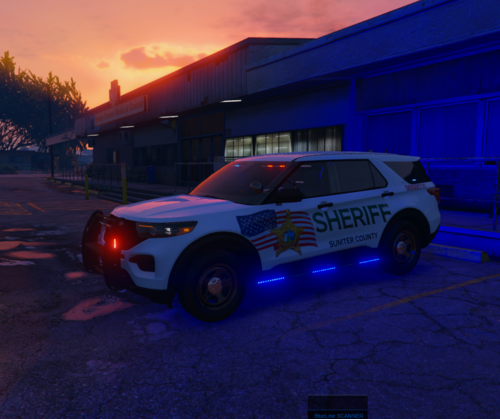



.thumb.png.483d1ec6df12d0a3253ddd143c36f133.png)
.thumb.png.aba303ef3347895c10dd77447e0939d1.png)



![POLISH DISPATCH [v0.8 BETA] (AI)](http://s3-screenshots.int-cdn.lcpdfrusercontent.com/resize/500/-/monthly_2026_06/fdsfs.thumb.png.e1c967aa166bd9d1ced0352f308f4ced.png)






Recommended Comments
Create an account or sign in to comment