Jump to content
View in the app

A better way to browse. Learn more.

LCPDFR.com

A full-screen app on your home screen with push notifications, badges and more.

To install this app on iOS and iPadOS
  1. Tap the Share icon in Safari
  2. Scroll the menu and tap Add to Home Screen.
  3. Tap Add in the top-right corner.
To install this app on Android
  1. Tap the 3-dot menu (⋮) in the top-right corner of the browser.
  2. Tap Add to Home screen or Install app.
  3. Confirm by tapping Install.
FiveM scripts have moved to Resources & Assets.

Los Santos Chanticleers 4K [LSPD] 1.0.0

(7 reviews)

8 Screenshots

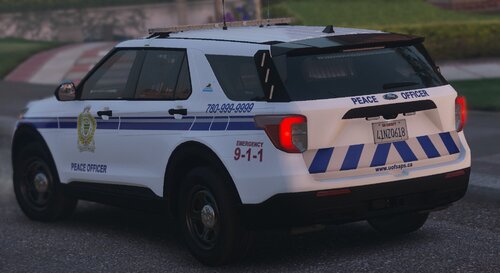
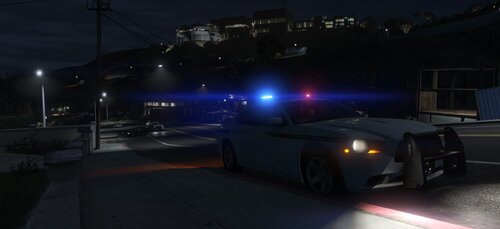
Another LSPD skin pack by yours truly for you to hopefully mix up your lineup. This pack is based on a campus police from the university down in SC. For now an all-sedan, but I might be tilted on doing some suvs if y'all like this. Please do not rip-off and/or re-upload these textures. Have fun policing.


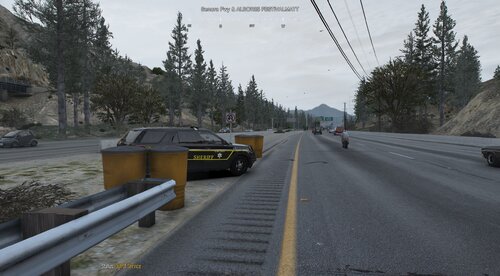
In the pics are some of the vehicles from these packs:

Spoiler


User Feedback

Recommended Comments

Pacific Pig

Members

These look amazing! Where did you get that CVPI with the Fasttrax light bar in the second to last screenshot?

Gump

Members

(edited)

Reminds me of Coastal Carolina PD...I think? Looks good!

EDIT: I am a retard who needs to read...Christ.....

Edited by Gump

JMikel

Members

Curious as to what pack this car comes from.

Because this whole skin pack is awesome.


Spoiler

7.png.57b9f8c7aac61907daf98f0cdf037298.p


cjr10621

Members

(edited)

14 hours ago, Pacific Pig said:

These look amazing! Where did you get that CVPI with the Fasttrax light bar in the second to last screenshot?


11 hours ago, JMikel said:

Curious as to what pack this car comes from.

Because this whole skin pack is awesome.


  Reveal hidden contents

7.png.57b9f8c7aac61907daf98f0cdf037298.p


Its in this pack


enb2018_6_27_06_59_00.jpg.289c2e607fd8bf

Edited by cjr10621

Create an account or sign in to comment

Account

Navigation

Search

Configure browser push notifications

Chrome (Android)
  1. Tap the lock icon next to the address bar.
  2. Tap Permissions → Notifications.
  3. Adjust your preference.
Chrome (Desktop)
  1. Click the padlock icon in the address bar.
  2. Select Site settings.
  3. Find Notifications and adjust your preference.