Skip to content
View in the app

A better way to browse. Learn more.

LCPDFR.com

A full-screen app on your home screen with push notifications, badges and more.
To install this app on iOS and iPadOS
  1. Tap the Share icon in Safari
  2. Scroll the menu and tap Add to Home Screen.
  3. Tap Add in the top-right corner.
To install this app on Android
  1. Tap the 3-dot menu (⋮) in the top-right corner of the browser.
  2. Tap Add to Home screen or Install app.
  3. Confirm by tapping Install.

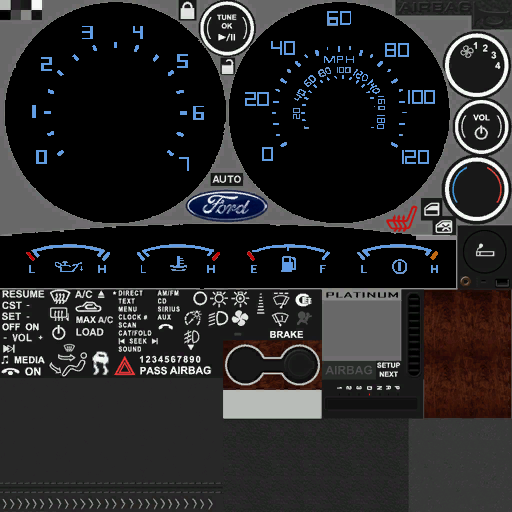
Dash fix for F150 png

(3 reviews)

1 Screenshot

I hated the dash for the F150 so I fixed it. It still needs a little work but I think it's better than original one.


User Feedback

Recommended Comments

Double Doppler

Members

Its nice to see fixes like these. It makes the game alot more playable and really helps out. Great work, and BTW, you are editing the vehOff.csv, right?

SHOME95

Members

this has been used in a few f150 already i checked all the ones available and they are the same

ROYKIRK

Members Author

Well this one hasn't because I just made it myself the other day! I guess great minds think a like! haha

Create an account or sign in to comment

Latest Mods

Account

Navigation

Search

Search

Configure browser push notifications

Chrome (Android)
  1. Tap the lock icon next to the address bar.
  2. Tap Permissions → Notifications.
  3. Adjust your preference.
Chrome (Desktop)
  1. Click the padlock icon in the address bar.
  2. Select Site settings.
  3. Find Notifications and adjust your preference.











