


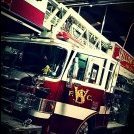

The Sho-Me siren is a less popular siren, but is still a very good one in my opinion. The tones that I included are the Wail, Yelp, Phaser, Hi-Lo, Warble, Whoop, and a Grover Airhorn. There is also an option for an electronic airhorn if you would rather have that.
FireRescue50
- Albo1125 and QuentinJericho
-
 2
2








![Arkansas State Police [4K]](http://s3-screenshots.int-cdn.lcpdfrusercontent.com/resize/500/-/monthly_2026_05/Screenshot_2716.thumb.png.206c8db8b3e9230c2692e6b5b347b435.png)


![Slovenia Emergency Service Pack - 10 Vehicle - [REPLACE] [ELS] [REFLECTIVE]](http://s3-screenshots.int-cdn.lcpdfrusercontent.com/resize/500/-/monthly_2026_05/profilbild.thumb.png.38515307375bb5cf424e5e284a989253.png)


![[ELS-Hybrid | DLC/Addon ] Low-Profile z71 Tahoes](http://s3-screenshots.int-cdn.lcpdfrusercontent.com/monthly_2026_05/25_1(1).thumb.png.7bdf0066d86afe565fac5e2684baa3e8.png)

Recommended Comments
Create an account or sign in to comment