Skip to content
View in the app

A better way to browse. Learn more.

LCPDFR.com

A full-screen app on your home screen with push notifications, badges and more.

To install this app on iOS and iPadOS
  1. Tap the Share icon in Safari
  2. Scroll the menu and tap Add to Home Screen.
  3. Tap Add in the top-right corner.
To install this app on Android
  1. Tap the 3-dot menu (⋮) in the top-right corner of the browser.
  2. Tap Add to Home screen or Install app.
  3. Confirm by tapping Install.
10 files
  1. For more and more varied sirens
    • 361,249 Downloads
    • 1763212 Views
    • 287.57 kB File Size
    • 342 Comments
    Updated
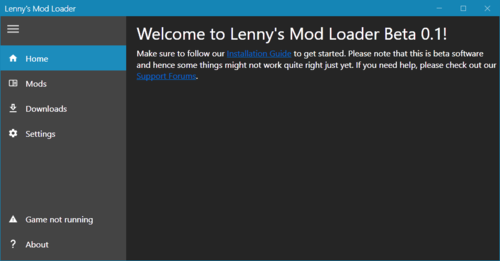
  2. gameconfig.xml package for LML or manual installation to enable add-on mods
    • 402,200 Downloads
    • 1330047 Views
    • 311.97 kB File Size
    • 191 Comments
    Updated
  3. Replace game files the easy way!
    • 658,380 Downloads
    • 1865444 Views
    • 76.39 MB File Size
    • 339 Comments
    Updated
  4. Fully fledged light and siren control for non-ELS vehicles.
    • 249,465 Downloads
    • 1249929 Views
    • 1.91 MB File Size
    • 284 Comments
    Updated
    • 5,891,981 Downloads
    • 13258660 Views
    • 9.08 MB File Size
    • 2710 Comments
    Updated
  5. OpenIV 4.1 by the OpenIV Team
    • 144,837 Downloads
    • 315330 Views
    Updated
  6. Script Hook V for Grand Theft Auto V by Alexander Blade
    • 182,225 Downloads
    • 436578 Views
    Updated
  7. A collection of patches to reduce texture loss & improve game stability.
    • 236,747 Downloads
    • 908608 Views
    • 63.61 kB File Size
    • 108 Comments
    Updated
  8. https://www.patreon.com/alex_ashfold
    • 5,137,208 Downloads
    • 11986074 Views
    • 1.82 GB File Size
    • 2354 Comments
    Updated
  9. These files will allow to use some of the EUP Outifts for your character but also for NPCs (ambient spawns and backup)
    • 783,376 Downloads
    • 2216913 Views
    • 74.16 kB File Size
    • 264 Comments
    Updated

Account

Navigation

Search

Search

Configure browser push notifications

Chrome (Android)
  1. Tap the lock icon next to the address bar.
  2. Tap Permissions → Notifications.
  3. Adjust your preference.
Chrome (Desktop)
  1. Click the padlock icon in the address bar.
  2. Select Site settings.
  3. Find Notifications and adjust your preference.