15,931 files
-
- 13 Downloads
- 942 Views
- 5.43 MB File Size
Updated -
- 43 Downloads
- 1364 Views
- 16.13 MB File Size
Updated -
- 141 Downloads
- 3356 Views
- 18.24 MB File Size
Updated -

- 3 Downloads
- 555 Views
- 970.35 kB File Size
Updated -
- 91 Downloads
- 2172 Views
- 988.89 kB File Size
Updated -
 Lore friendly Highway Patrol Livery
- 114 Downloads
- 2790 Views
- 1.09 MB File Size
- 1 Comments
Updated -
 High Quality 4K Georgia Capitol Police Livery Pack
- 244 Downloads
- 6846 Views
- 1.33 MB File Size
- 2 Comments
Updated -

- 95 Downloads
- 2899 Views
- 5.28 MB File Size
- 8 Comments
Updated -

- 22 Downloads
- 949 Views
- 424.23 kB File Size
Updated -
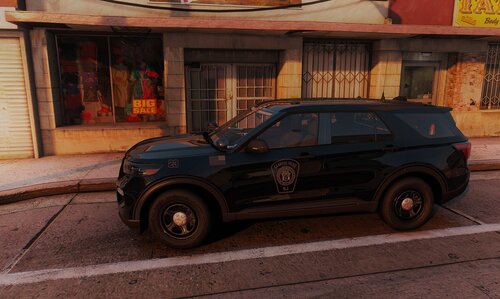 Garwood Police Department (NJ)
- 86 Downloads
- 2573 Views
- 327.52 kB File Size
Updated -

- 53 Downloads
- 1725 Views
- 47.51 kB File Size
- 1 Comments
Updated -
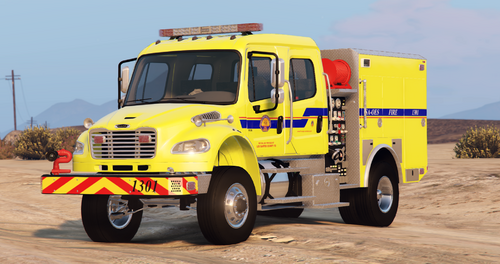
- 84 Downloads
- 2563 Views
- 4.04 MB File Size
- 2 Comments
Updated -
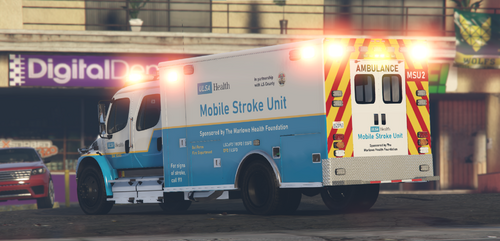 4k Textures for 4 ULSA / UCLA Health Vehicles
- 69 Downloads
- 2344 Views
- 3.36 MB File Size
- 2 Comments
Updated -

- 44 Downloads
- 1921 Views
- 4.28 MB File Size
- 1 Comments
Updated -
 BCSO Pack (Rock County, WI) loosely based.
- 186 Downloads
- 3423 Views
- 8.33 MB File Size
Updated -
 Petaluma PD based Sandy PD liveries
- 189 Downloads
- 3819 Views
- 3.4 MB File Size
- 2 Comments
Updated