


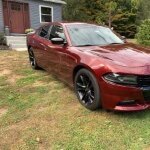


First upload here! I made a simple ghost livery for LSPD and BCSO baised on real Douglas County Georgia Sheriff liveries. Included is a template and a PSD for both liveries. Only livery included is for panos_zaf's 2018 Charger. I'll work on more vehicles throughout time and upon request.
SCORPION Unit: Sheriff’s COncentRated Patrol and aggressIve felOny interdictioN
The S.C.O.R.P.I.O.N. Unit is a four person team comprised of three deputies and a Sergeant. Sheriff Pounds created the Scorpion unit to deploy into high crime areas of the county to show criminals he means business. The officers will be driving the most state-of-the-art patrol cars and will possess all the necessary equipment and training to accomplish their objective.
FIND Unit: Felony Interception Narcotics Detection
F.I.N.D. deputies receive advanced training from numerous schools related to Commercial Motor Vehicle Interdiction and Passenger Motor Vehicle Interdiction. These schools provide training on criminal indicators, concealment techniques, and current contraband smuggling trends. The F.I.N.D. Unit focuses on aggressive traffic enforcement and attacks criminals when they are most vulnerable, in transit.


.thumb.png.987d590a4b6fb85cfcd7b327be51397d.png)
![[FiveM Ready] Fictional Gang Unit - Texture](http://s3-screenshots.int-cdn.lcpdfrusercontent.com/resize/500/-/monthly_2026_07/photo1.thumb.png.04d7e72021344238554fc43bbbc431c3.png)











Recommended Comments
Create an account or sign in to comment