Skip to content
View in the app

A better way to browse. Learn more.

LCPDFR.com

A full-screen app on your home screen with push notifications, badges and more.

To install this app on iOS and iPadOS
  1. Tap the Share icon in Safari
  2. Scroll the menu and tap Add to Home Screen.
  3. Tap Add in the top-right corner.
To install this app on Android
  1. Tap the 3-dot menu (⋮) in the top-right corner of the browser.
  2. Tap Add to Home screen or Install app.
  3. Confirm by tapping Install.

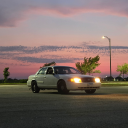
Illinois State Police concept charger skin 1.0.0

(0 reviews)

3 Screenshots

Howdy, this is my first skin, and I know there's some work that needs to be done, but I thought this would be interesting to see. This was made for the 2018 charger by TickleMyElmo.

 

User Feedback

Recommended Comments

What A Big Man

Members

I feel the back is too... Spongy, also its look special, it like two blocks, maybe add a darker block around it


Everything else looks nice


KUTGW

J. Cooley

Members Author

(edited)

9 hours ago, Daryl G said:

I feel the back is too... Spongy, also its look special, it like two blocks, maybe add a darker block around it


Everything else looks nice


KUTGW

Honestly, I didn't really know what to do with the back of the charger, so I decided to separate the "State" and "Police" like they do on the back of the newer FPIU models. I thought about doing it like Vermont does the back of their chargers. (Sorry for the blurry image, but it was pretty much the only picture I could find) Also, thank you, I appreciate it!


Screenshot_20191203-134513_Instagram.jpg

Edited by J. Cooley

Create an account or sign in to comment

Latest Mods

Account

Navigation

Search

Search

Configure browser push notifications

Chrome (Android)
  1. Tap the lock icon next to the address bar.
  2. Tap Permissions → Notifications.
  3. Adjust your preference.
Chrome (Desktop)
  1. Click the padlock icon in the address bar.
  2. Select Site settings.
  3. Find Notifications and adjust your preference.











