Skip to content
View in the app

A better way to browse. Learn more.

LCPDFR.com

A full-screen app on your home screen with push notifications, badges and more.

To install this app on iOS and iPadOS
  1. Tap the Share icon in Safari
  2. Scroll the menu and tap Add to Home Screen.
  3. Tap Add in the top-right corner.
To install this app on Android
  1. Tap the 3-dot menu (⋮) in the top-right corner of the browser.
  2. Tap Add to Home screen or Install app.
  3. Confirm by tapping Install.
Due to overzealous filtering on Microsoft’s side, some emails to Outlook and Hotmail addresses may not be delivered. If you’re affected, please use a different email address or try again later.
3,804 files
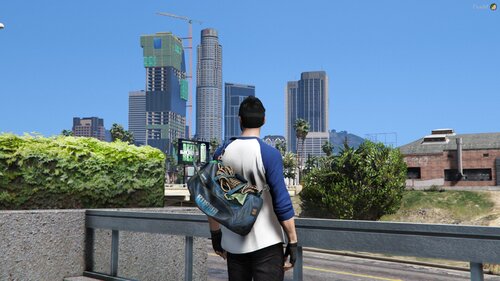
  1. A simple Lore-Friendly over the shoulder radio that fits with all EUP Duty Belts.
    • 3,831 Downloads
    • 37489 Views
    • 36.01 MB File Size
    • 25 Comments
    Updated
    • 45 Downloads
    • 2181 Views
    • 31.17 kB File Size
    • 2 Comments
    Updated
    • 98 Downloads
    • 3238 Views
    • 2.27 kB File Size
    • 4 Comments
    Updated
    • 580 Downloads
    • 9704 Views
    • 765.7 kB File Size
    Updated
    • 905 Downloads
    • 20235 Views
    • 112.18 MB File Size
    • 10 Comments
    Updated
    • 487 Downloads
    • 11757 Views
    • 14.01 MB File Size
    • 6 Comments
    Updated
    • 125 Downloads
    • 2715 Views
    • 1.66 MB File Size
    Updated
  2. A tactical helmet for eup that you can use
    • 626 Downloads
    • 10622 Views
    • 10.32 MB File Size
    • 4 Comments
    Updated
    • 6,504 Downloads
    • 67248 Views
    • 48.63 MB File Size
    • 38 Comments
    Updated
    • 71 Downloads
    • 1576 Views
    • 167.52 kB File Size
    Updated
    • 43 Downloads
    • 1794 Views
    • 271.57 kB File Size
    • 1 Comments
    Updated
    • 780 Downloads
    • 11877 Views
    • 673.7 kB File Size
    • 9 Comments
    Updated
    • 7,444 Downloads
    • 76815 Views
    • 67.46 MB File Size
    • 51 Comments
    Updated
  3. out dated jacket i made when i first started messing with EUP
    • 965 Downloads
    • 11050 Views
    • 3.2 MB File Size
    • 8 Comments
    Updated
    • 172 Downloads
    • 3659 Views
    • 1.15 MB File Size
    • 3 Comments
    Updated
    • 161 Downloads
    • 4410 Views
    • 1.69 MB File Size
    • 6 Comments
    Updated

Account

Navigation

Search

Search

Configure browser push notifications

Chrome (Android)
  1. Tap the lock icon next to the address bar.
  2. Tap Permissions → Notifications.
  3. Adjust your preference.
Chrome (Desktop)
  1. Click the padlock icon in the address bar.
  2. Select Site settings.
  3. Find Notifications and adjust your preference.